Top Holder Report
Identifies the top shareholders within the selected security class(es), ranked by their share of the total issued capital.
Choose Type
Select Security Holder Analytics > Top Holders
Define Criteria
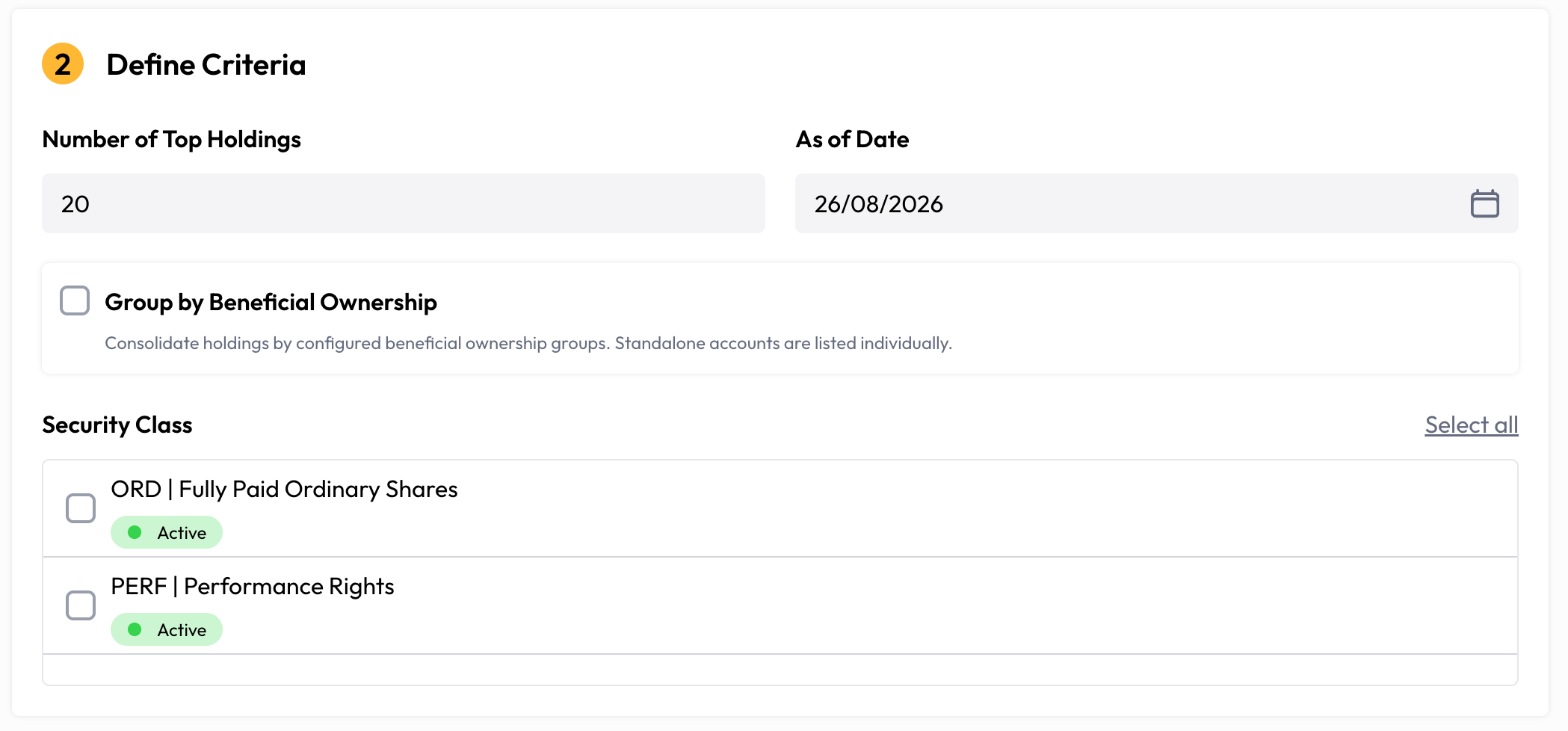
Number of Top Holdings defines how many top-ranked holders appear in the report. Holders sharing the same rank are also included in the listing.
As of Date: The "As of Date" determines the reference point for your report. It can be set to today or any historical date, but cannot be a future date. All security balances reflected in the report represent the closing balance as at the selected date.
Group by Beneficial Ownership: Tick this option to consolidate holdings by your configured beneficial ownership groups. Each beneficial ownership group is reported as a single holder, while standalone accounts are listed individually. See Investor Groups to set these up.
Security Class: Select the specific security classes or you can simply include all security classes by toggle “Select all”
Group by Beneficial Ownership
An investor group marked as a beneficial ownership group declares that its member accounts are, in substance, one underlying owner — for example a family's several trusts and personal holdings. An investor account can belong to only one beneficial ownership group. Set these up under Investors > Investor Groups.
When Group by Beneficial Ownership is ticked:
Each beneficial ownership group is reported as one holder, with a combined balance equal to the total of its members' balances, and it competes in the ranking exactly as an individual holder does.
The group's member accounts are listed beneath the group, each with its own balance and percentage of issued capital.
Accounts that are not in any beneficial ownership group — standalone accounts — are listed individually, as usual.
Groups that are not marked as beneficial ownership groups are never combined; their members appear individually.
Representation is all or nothing: if a group's combined balance does not reach the Number of Top Holdings cut-off, neither the group nor any of its member accounts appears in the report. Leave the option unticked to report every investor account individually.
Generate Report
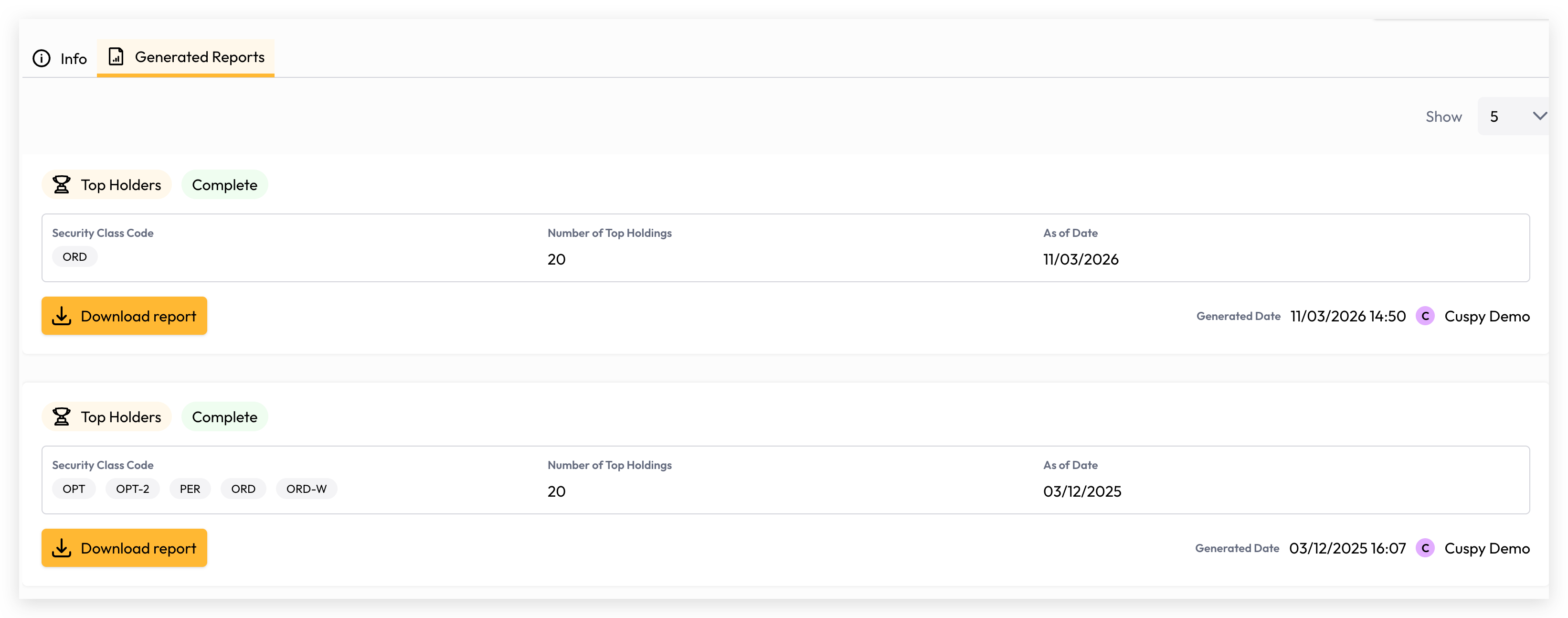
Your report is now ready to generate. Depending on the volume of data, generation may take a few seconds or longer. You can monitor the progress directly on the report generation screen, and once complete, simply click the Download button to access and view your report.
Still need help? Share an idea