Security Register Report

Overview

The Security Register Report is a comprehensive reporting tool that allows you to generate detailed records of registered security holders and their ownership details for your organisation's selected security classes on a specified date. This report is essential for maintaining accurate shareholder records and generating compliance documentation.

Quick Start Guide

Step 1: Access the Security Register Report

  1. Navigate to the Reports section in the main menu

  2. Under "Register Reports," click on Security Register Report

  3. Click the Generate report button

Step 2: Choose Report Type

The Security Register Report is already selected. This report displays:

  • List of registered security holders

  • Their ownership details for selected security classes

  • Information as of a specific date you define

Detailed Feature Guide

Step 1: Define Criteria

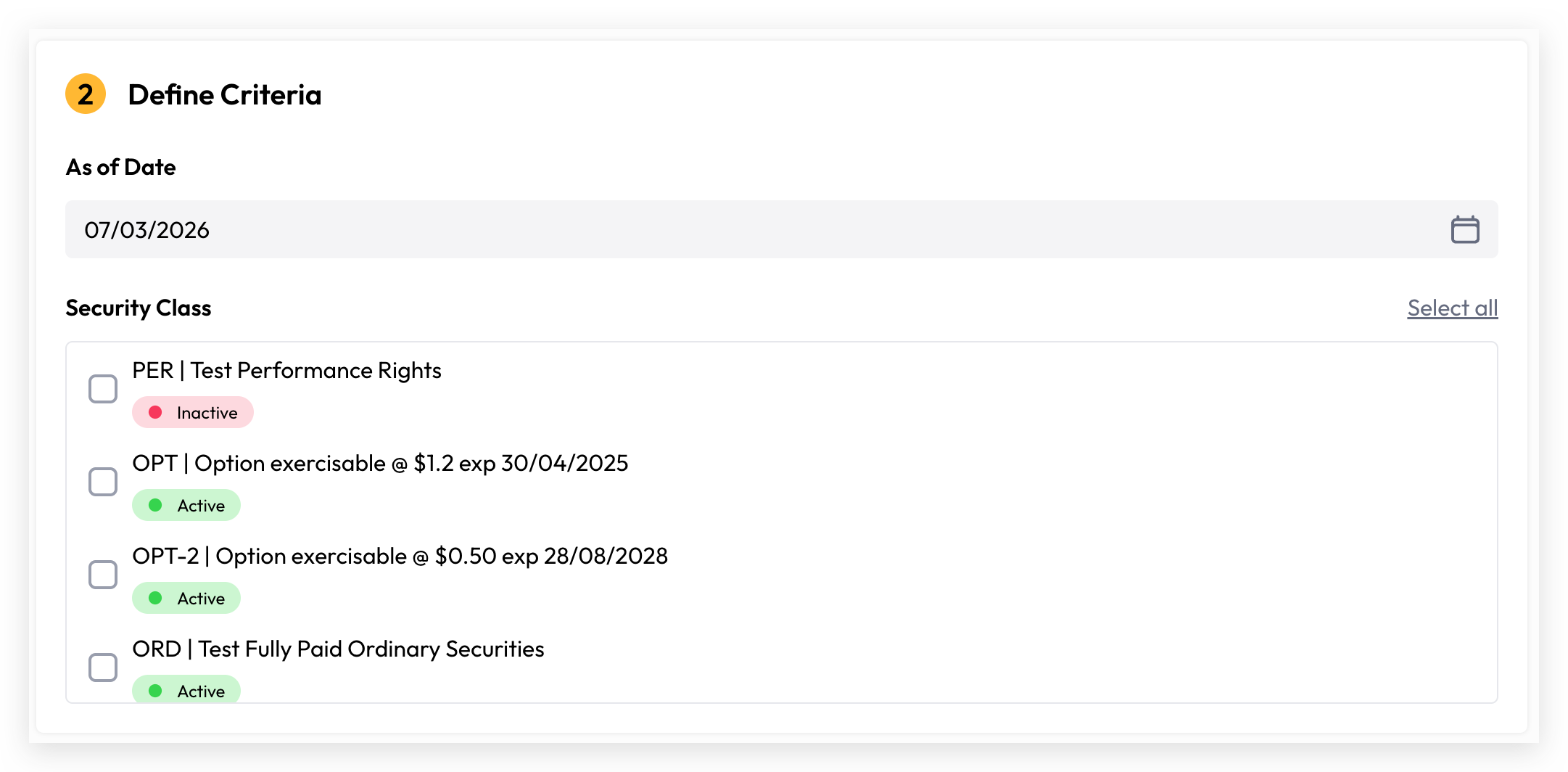
This step lets you specify the parameters for your report.

As of Date

  • Select the date for which you want to generate the report

  • This ensures the report reflects shareholder information at that specific point in time

  • Format: DD/MM/YYYY (e.g., 02/01/2026)

  • Default is set to today's date

Security Class Selection

  • Choose which security classes to include in your report

  • Available options show the security class name and current status (Active or Inactive)

  • Examples include: "Ordinary Shares," "Options," "Stapled Securities," etc.

  • Click the checkbox next to each security class you want to include

  • Use Select all link to quickly include all available security classes

  • You must select at least one security class to generate the report

Step 2: Report Content

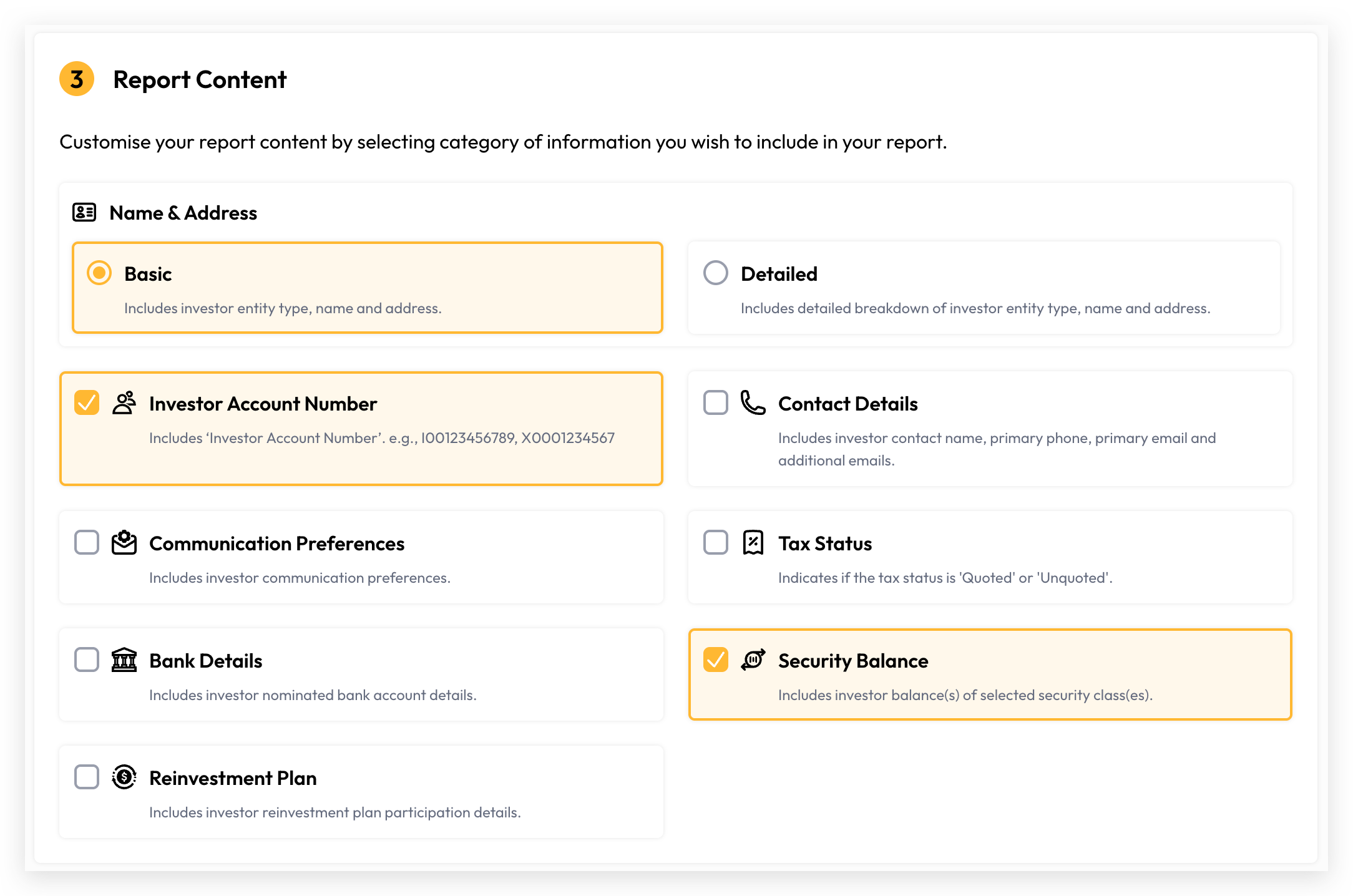
Customise what information appears in your generated report by selecting from the following options:

Name & Address (Required)

  • Basic: Includes investor entity type, name, and address

  • Detailed: Provides a detailed breakdown of investor entity type, name, and address information

  • Select one option (Basic or Detailed)

Optional Information Fields (Check to include):

  1. Investor Account Number

    • Displays the unique investor account identifier (e.g., I00123456789, X0001234567)

    • Useful for cross-referencing with your investor database

  2. Contact Details

    • Includes investor contact name, primary phone, primary email, and additional email addresses

    • Essential when you need to reach out to shareholders

  3. Communication Preferences

    • Shows investor communication preferences and contact method preferences

    • Helps ensure you're communicating through their preferred channels

  4. Tax Status

    • Indicates whether tax status is "Quoted" or "Unquoted"

    • Important for tax and regulatory compliance

  5. Bank Details

    • Includes investor nominated bank account information

    • Necessary for dividend payments and shareholder distributions

  6. Security Balance

    • Shows investor holdings for each selected security class

    • Displays the number of securities owned by each investor

    • Automatically included to show ownership details

  7. Reinvestment Plan

    • Shows investor participation details in any reinvestment plans

    • Indicates enrolment status and participation levels

Generating Your Report

  1. Complete all steps: Choose Type β†’ Define Criteria β†’ Report Content

  2. Review your selections

  3. Click Generate report to create your report

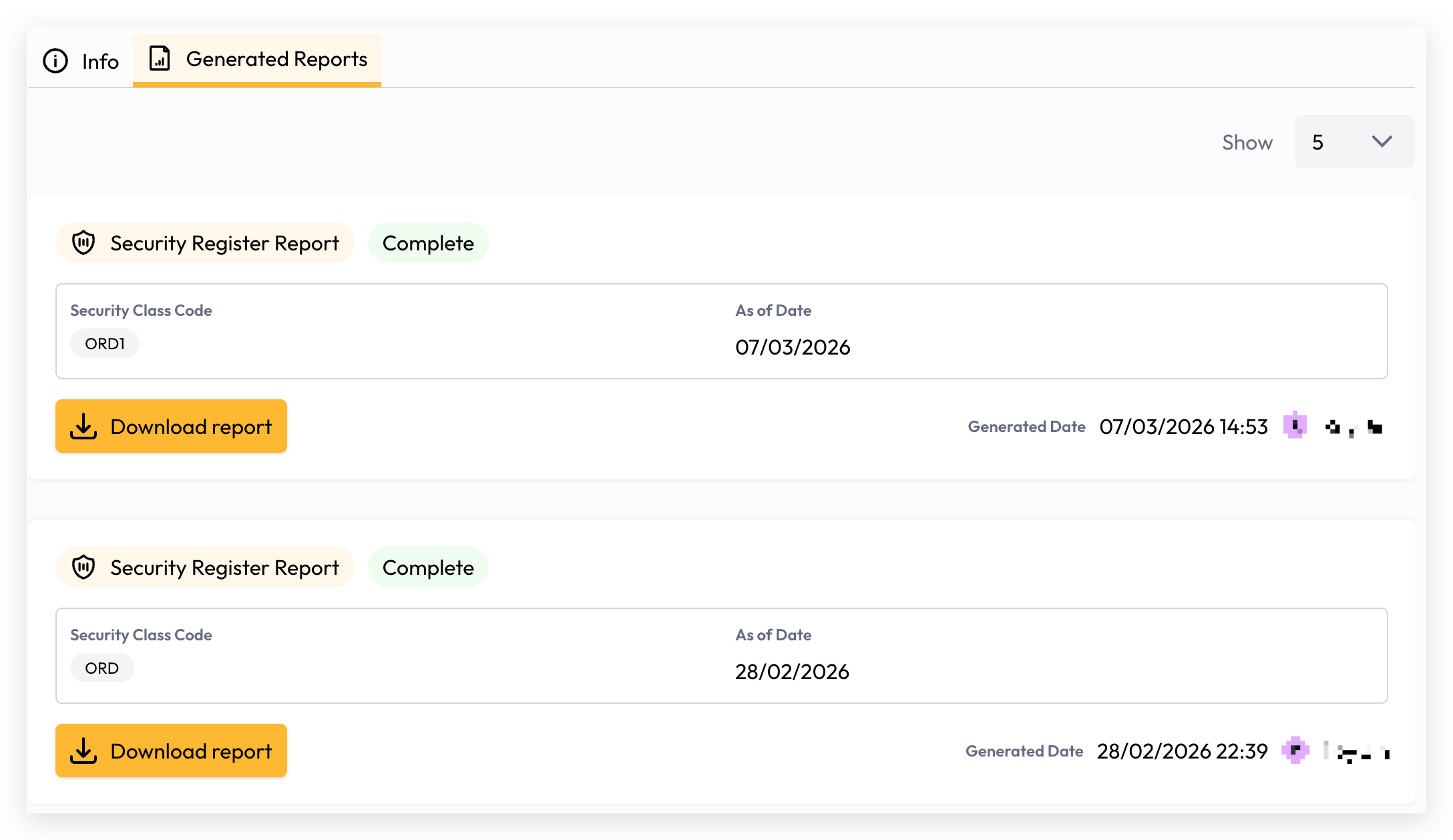
  4. The report will be generated in Excel format and ready for download

Navigation Buttons:

  • Back: Return to the previous step to modify selections

  • Cancel: Exit the report generation process without saving

  • Generate report: Create the report with your selected parameters

Report Format

  • Available Format: Excel (.xlsx)

  • Generated reports can be opened, edited, and shared using Microsoft Excel or compatible spreadsheet applications

  • Reports are organised in a tabular format with column headers for easy reference

Best Practices

  1. Date Selection: Choose a date that aligns with your reporting requirements (e.g., fiscal year-end, meeting date)

  2. Security Class Selection: Include all relevant security classes to ensure comprehensive shareholder records

  3. Information Selection: Include only the information you need to reduce report size and improve readability

  4. Regular Generation: Generate reports periodically to maintain current shareholder records

  5. Data Privacy: Be mindful of sensitive information (bank details, contact information) when sharing reports

Troubleshooting

What if I can't see a security class?

  • Some security classes may be inactive or archived

  • Filter options may limit visibility; ensure you're viewing all classes

How do I include multiple security classes?

  • Check the checkbox next to each security class you want to include

  • Or use the "Select all" link to include all available security classes at once

Can I modify the report after generation?

  • Yes, the report is generated in Excel format, which you can edit and customise further

What's the difference between "Basic" and "Detailed" name and address information?

  • Basic: Shows entity type, name, and address

  • Detailed: Provides additional breakdown of the investor entity information for more thorough identification