Issued Capital Report
Choose Type
Select Capital Analytics > Issued Capital Report
Define Criteria
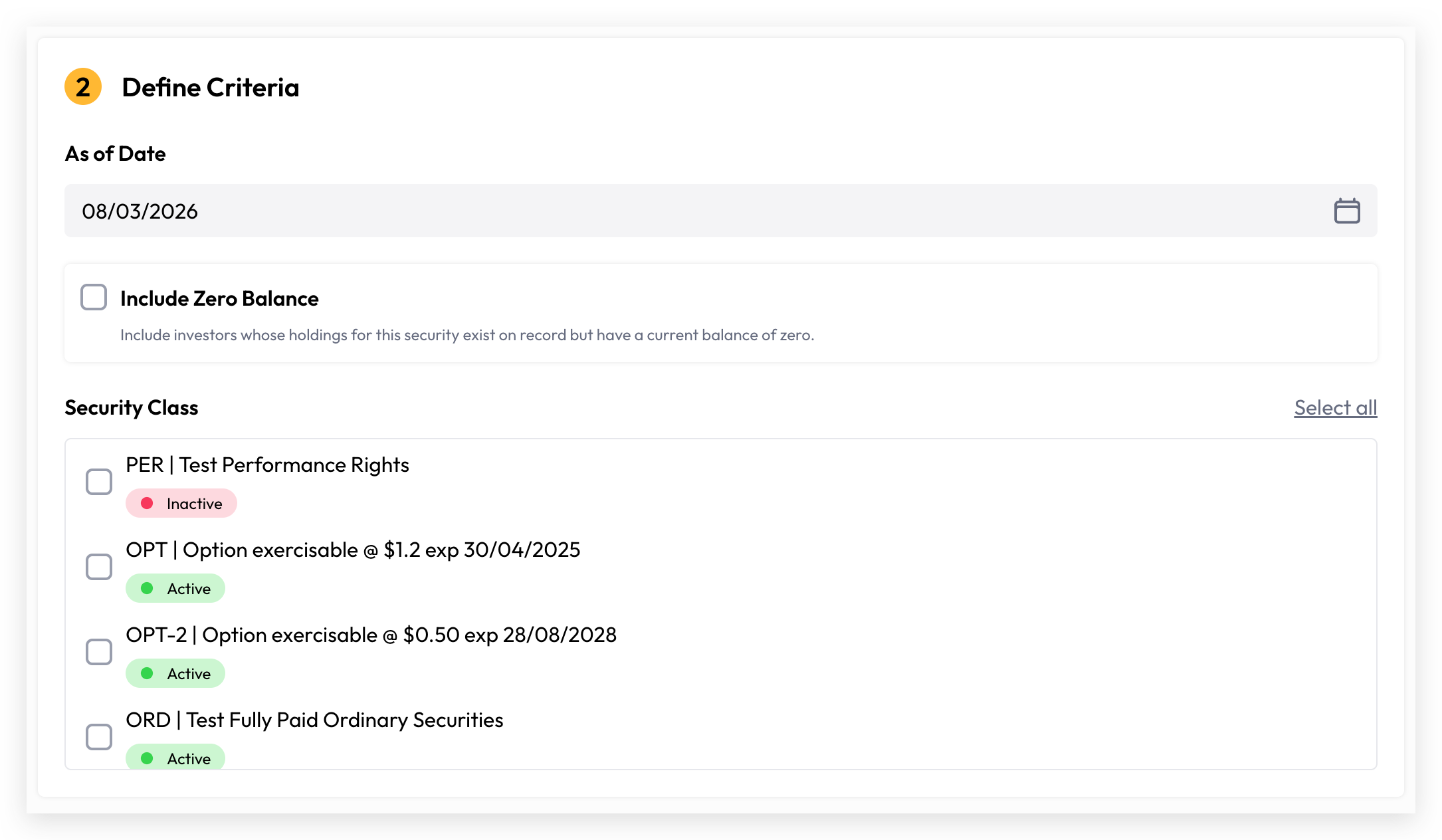
As of Date: The "As of Date" determines the reference point for your report. It can be set to today or any historical date, but cannot be a future date. All security balances reflected in the report represent the closing balance as at the selected date.
Include Zero Balance: Include investors whose holdings for this security exist on record but have a current balance of zero.
Security Class: Select the specific security classes or you can simply include all security classes by toggle “Select all”
Generate Report
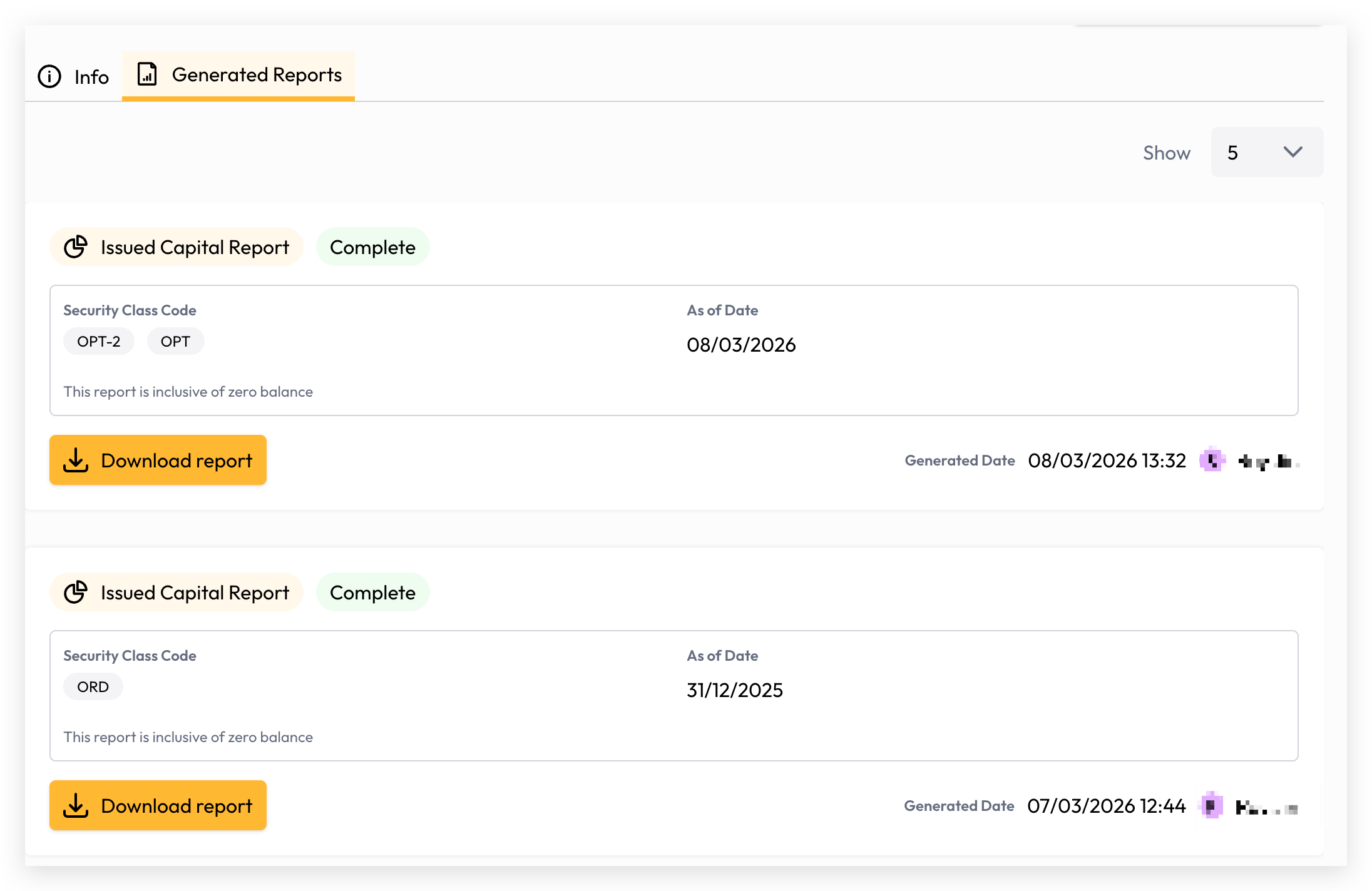
Your report is now ready to generate. Depending on the volume of data, generation may take a few seconds or longer. You can monitor the progress directly on the report generation screen, and once complete, simply click the Download button to access and view your report.
Still need help? Share an idea