Manage Claimed Investor Accounts
Everything you need to know about accessing and managing your claimed investor accounts.
The Cuspy Investor Wallet allows users to claim multiple investor accounts across the same or different organisations, provided the claiming information is accurate and the user is the rightful owner or has authorisation to do so. Depending on the organisation's requirements, users may also be required to complete identity verification as part of the claiming process.
View Claimed Investor Accounts
Once you have successfully claimed your investor accounts, they will appear on your Investor Wallet landing page.
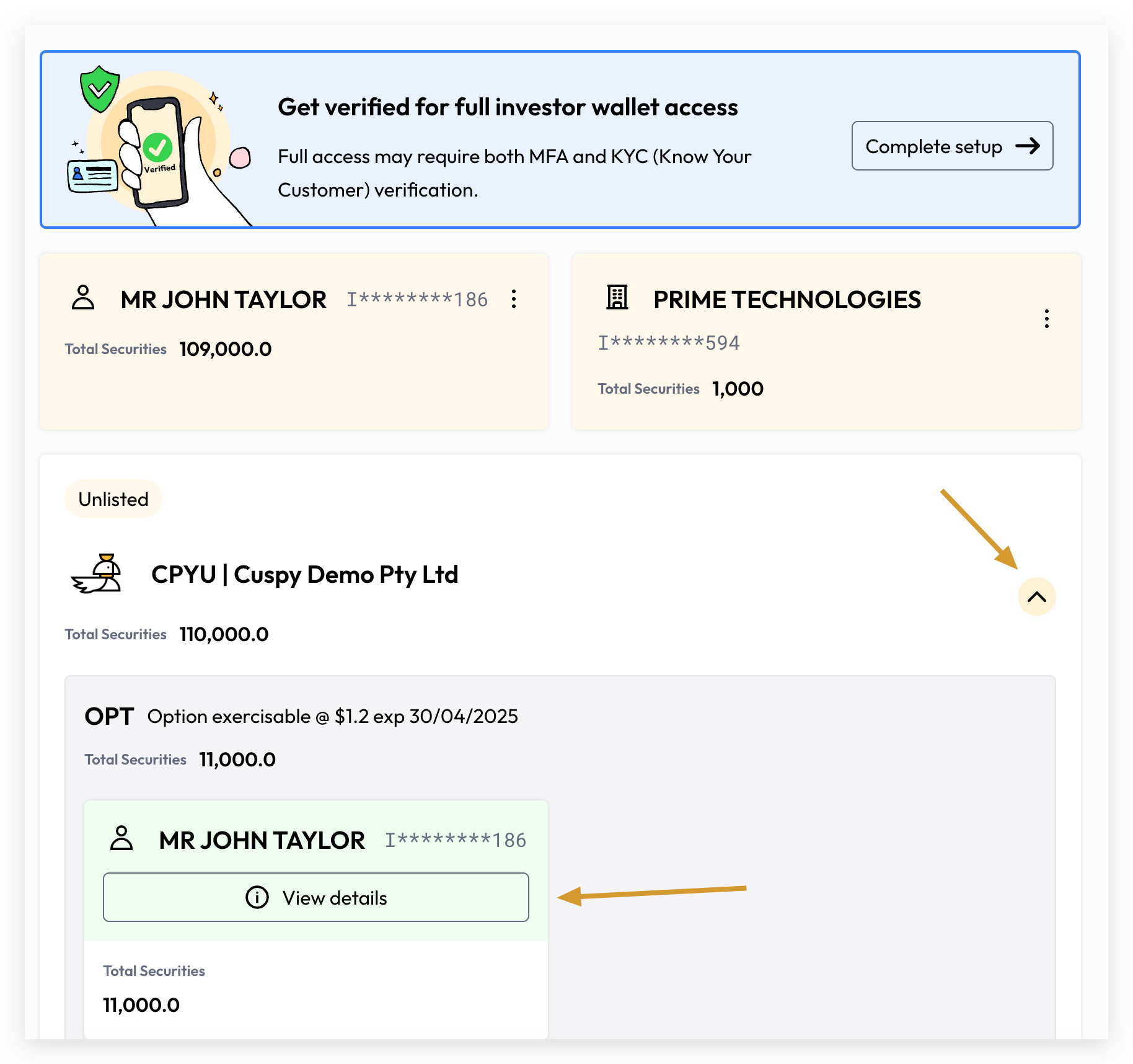
The landing page displays each individual investor account, grouped by organisation where multiple accounts are held across the same or different organisations.
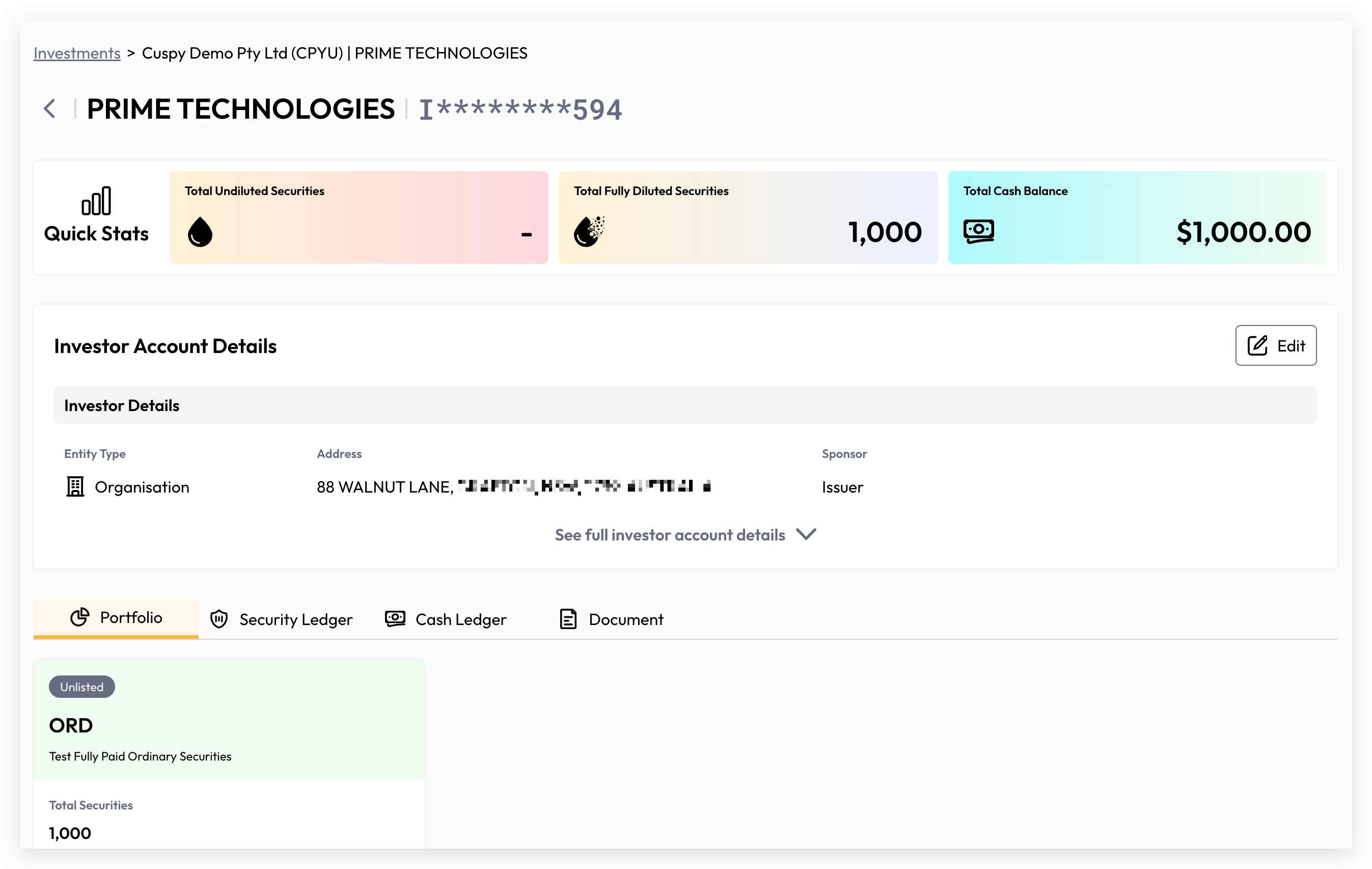
To access an investor account, click the expand toggle at the organisation level, then click View Details.
Update Investor Account Details
If you want to Edit your account details, please click Edit button.
The Edit function may require KYC verification depending on the organisation's requirements.
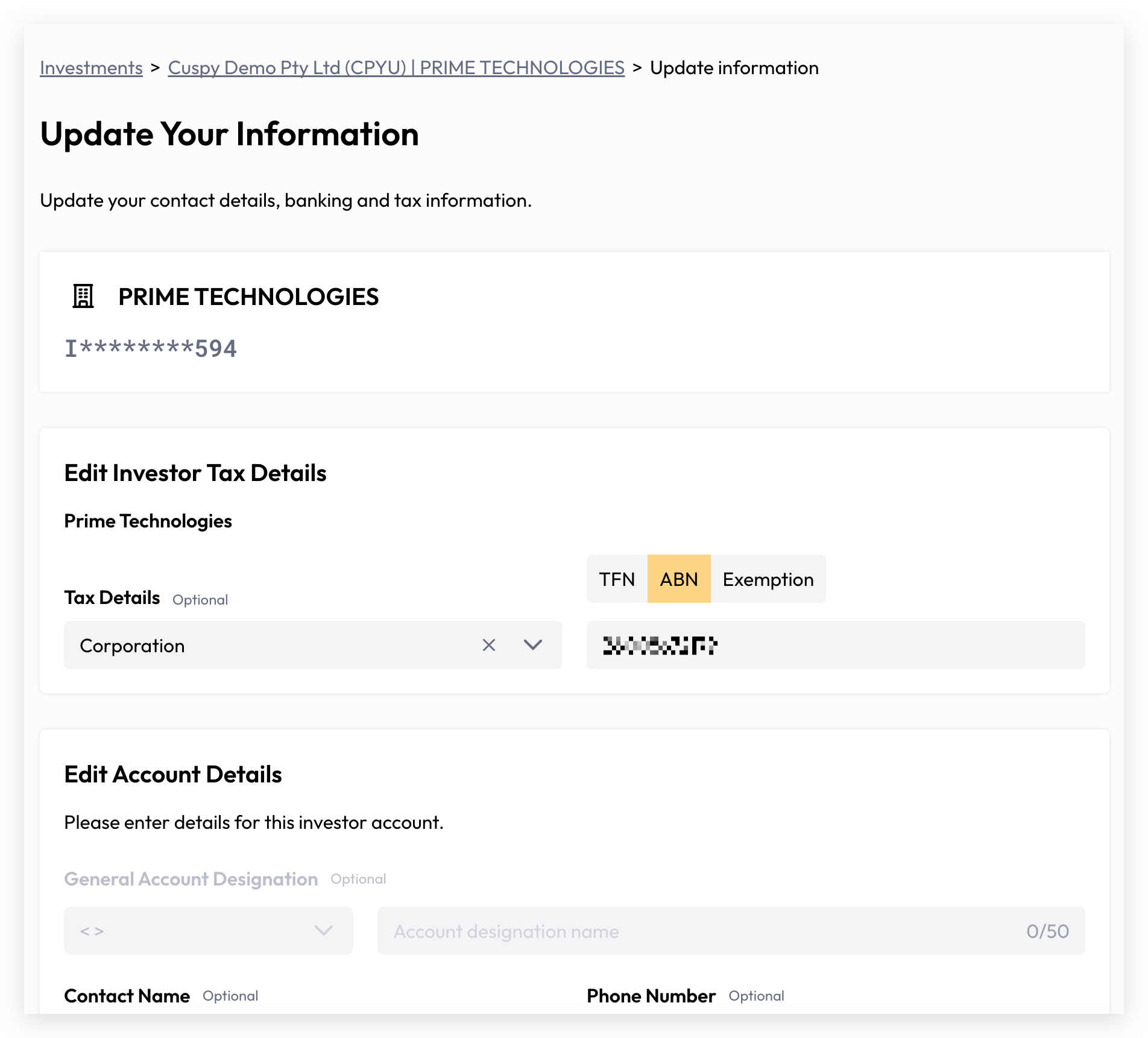
The investor account name and entity type can only be updated by an organisation admin user with the appropriate permissions. As an investor, you are unable to modify these fields directly. Please contact your organisation or the Cuspy support team for assistance. A verification process may be required to ensure the accuracy and legitimacy of any changes made.
Investors are able to update the following details on their investor account:
Registered Address
Contact Details
Tax Details
Bank Details
Communication Preferences
Update Reinvestment Plan
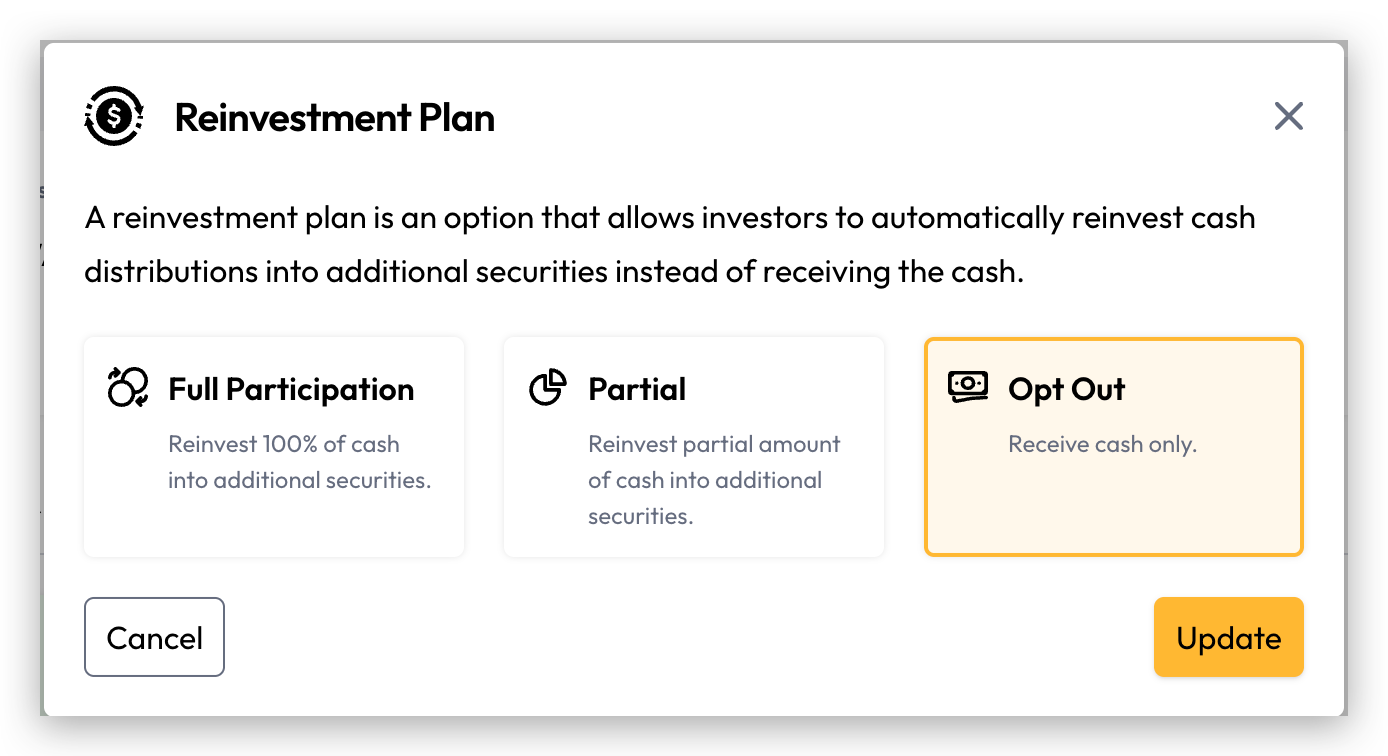
On the investor account details page, users can navigate to each portfolio and view their individual security holdings. If a reinvestment plan is enabled for a particular holding, an "Update Reinvestment Plan" button will be displayed for that portfolio.
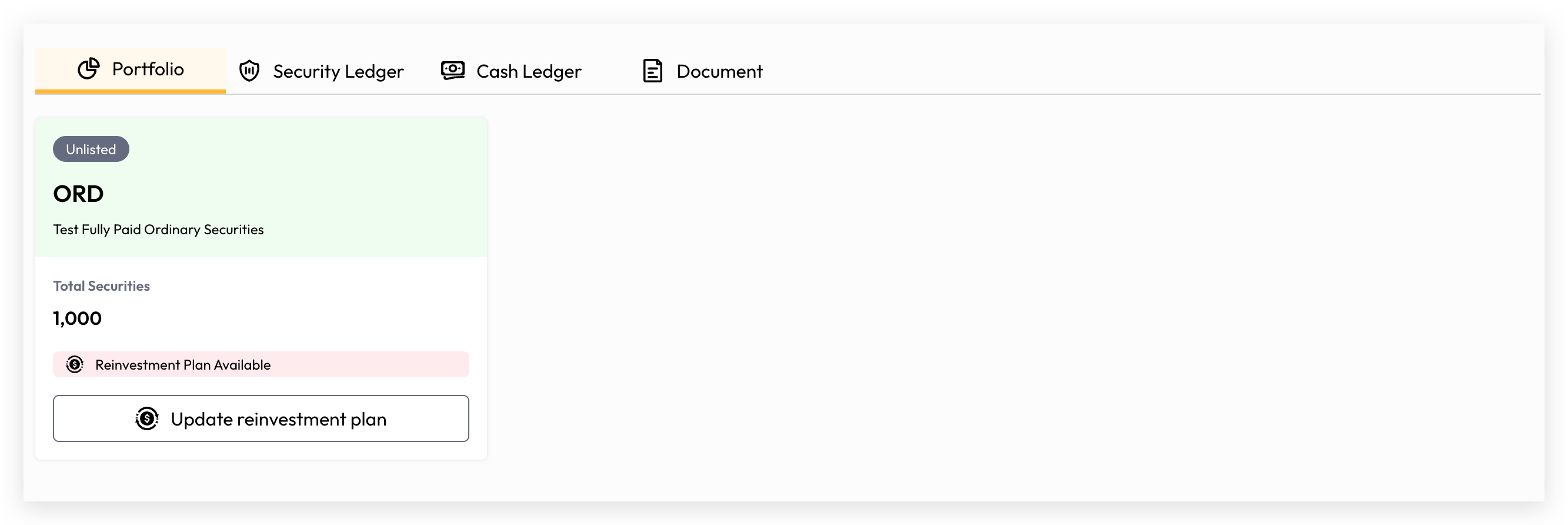
Clicking the "Update Reinvestment Plan" button will open a modal window where you can select your preferred reinvestment plan option. The default reinvestment plan is determined by the organisation.
Remove Claimed Investor Account
You can remove a claimed investor account from your Investor Wallet at any time.
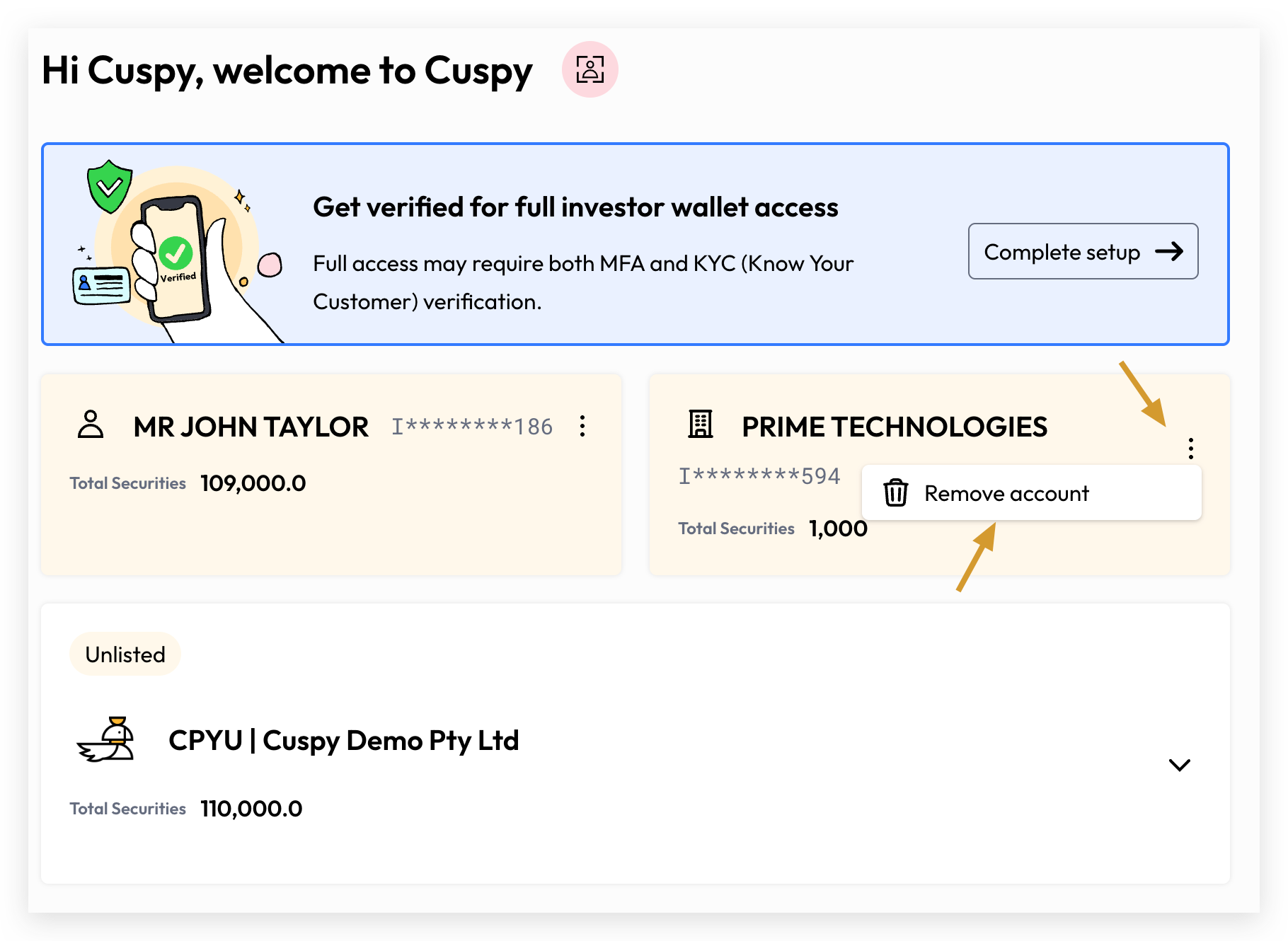
If you accidentally remove an investor account, you can simply claim it again to restore access. Please refer to our guide on Claim your Investor Account
Still need help? Share an idea