BYOD Documents Generation
BYOD (Bring Your Own Data) allows you to bulk generate investor documents using your own customised data, such as financial figures and additional details.
Before using BYOD, please review Manage Document Templates and Holding Statement Generation for guidance on document template selection, distribution, preview, and generation.
Create New Documents
Document Setup
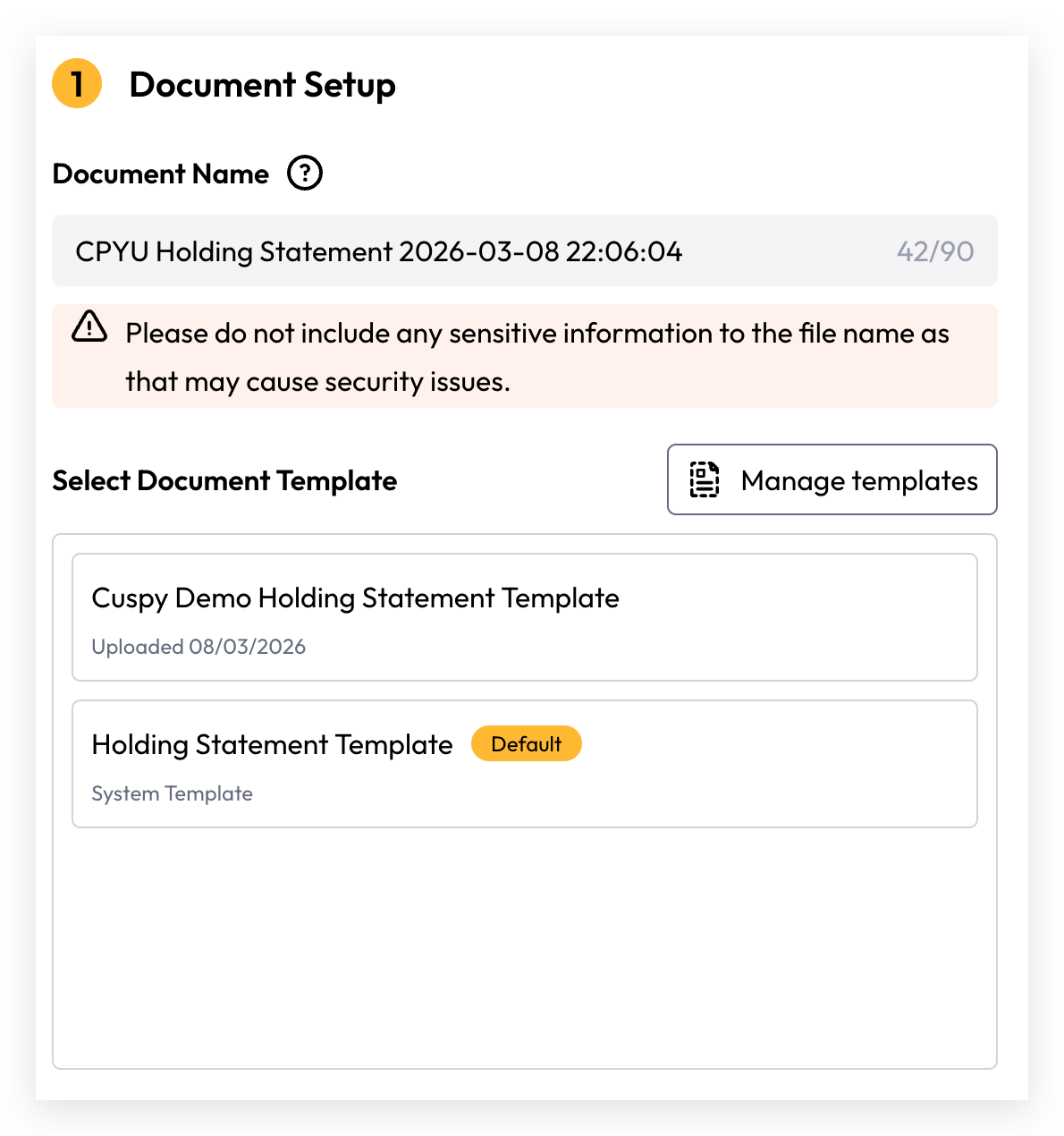
Ensure the Document Name is provided and accurately reflects the content and purpose of the document. This name will be visible to investors and used as the downloaded file name. Please do not include any sensitive information in the document name.
Select a document template — once selected, the template content will automatically load and display in the viewer panel on the right.
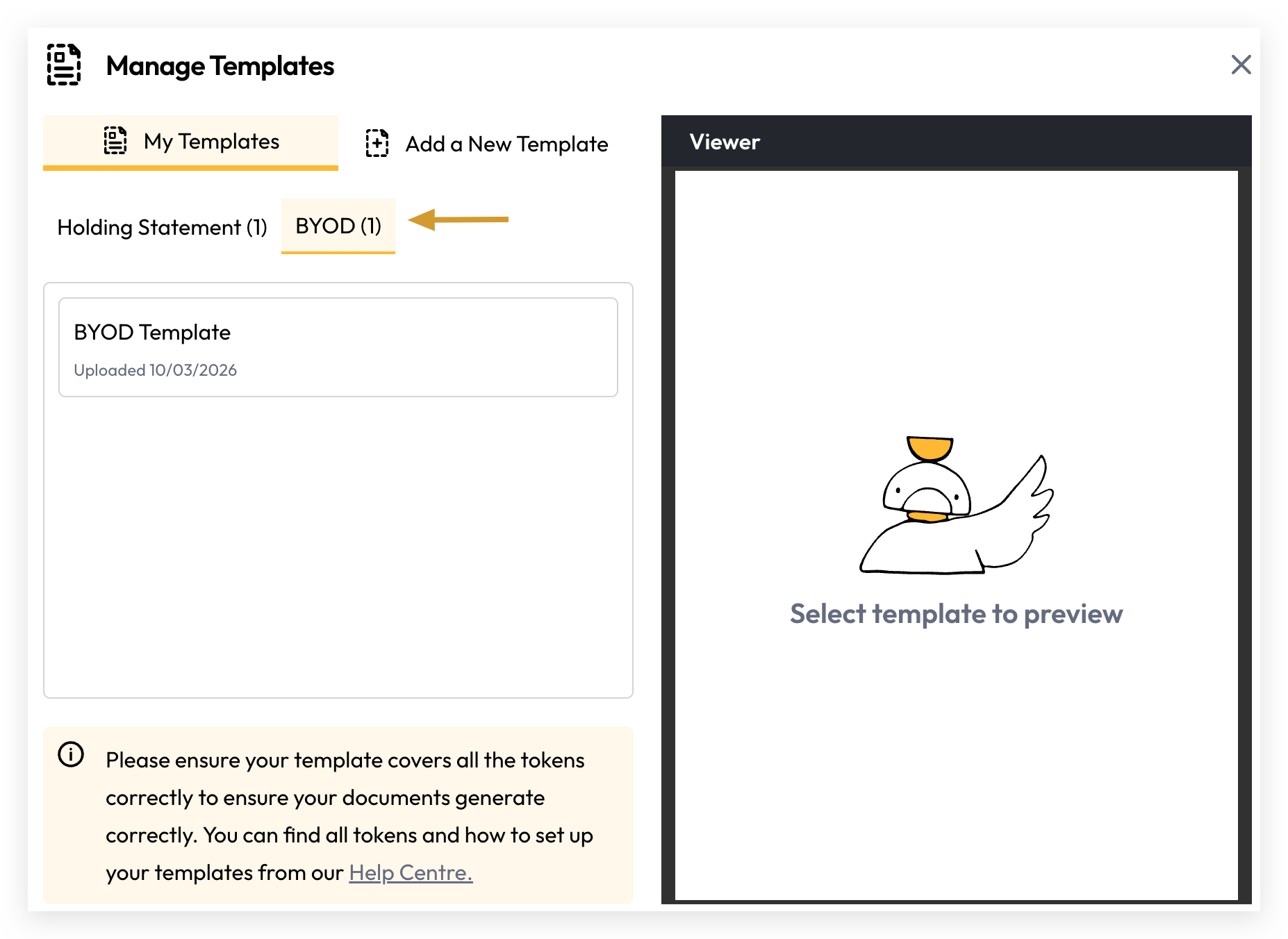
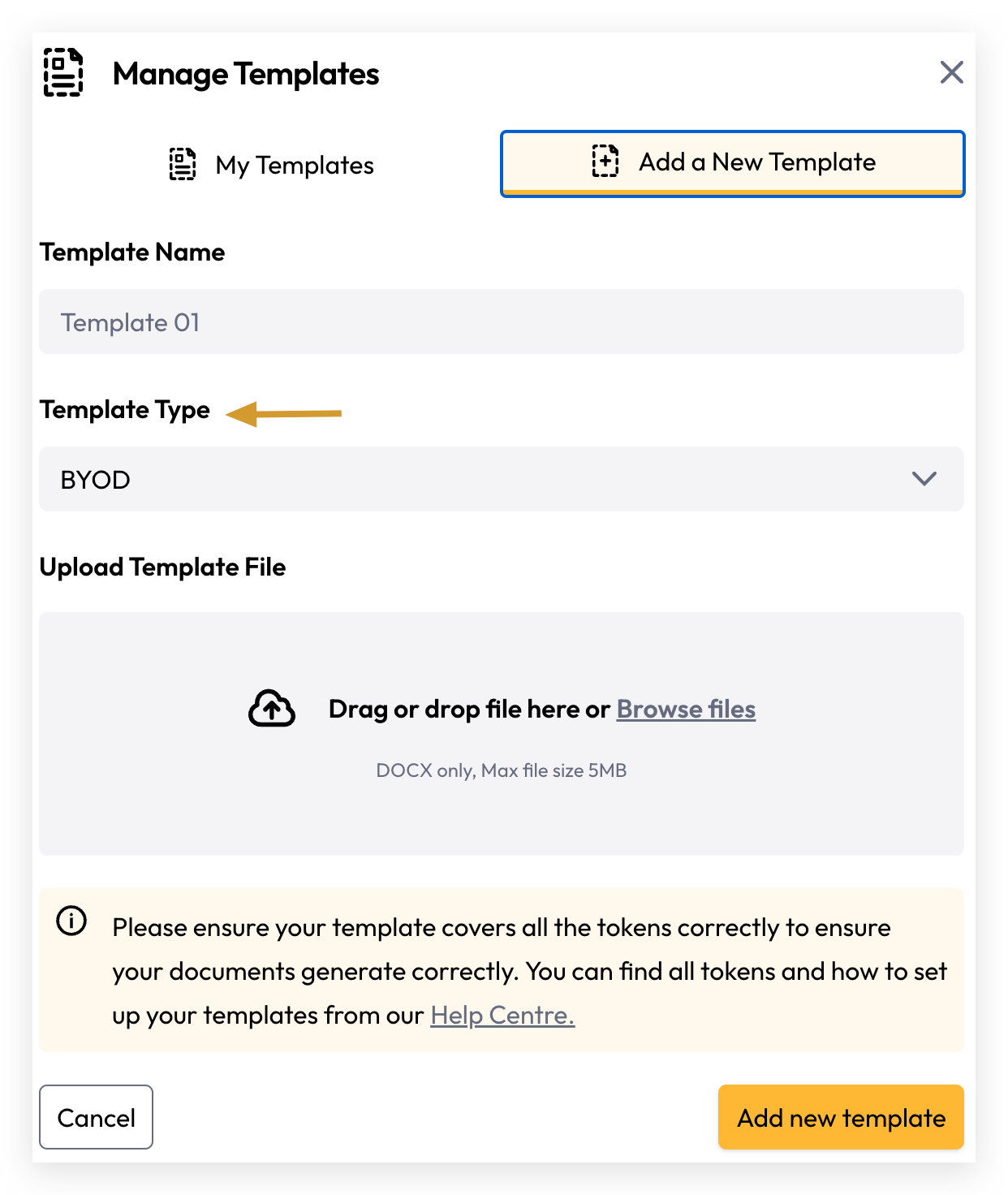
For BYOD document generation, ensure you select a BYOD template. If you don't have one, please create one first.
Document Criteria
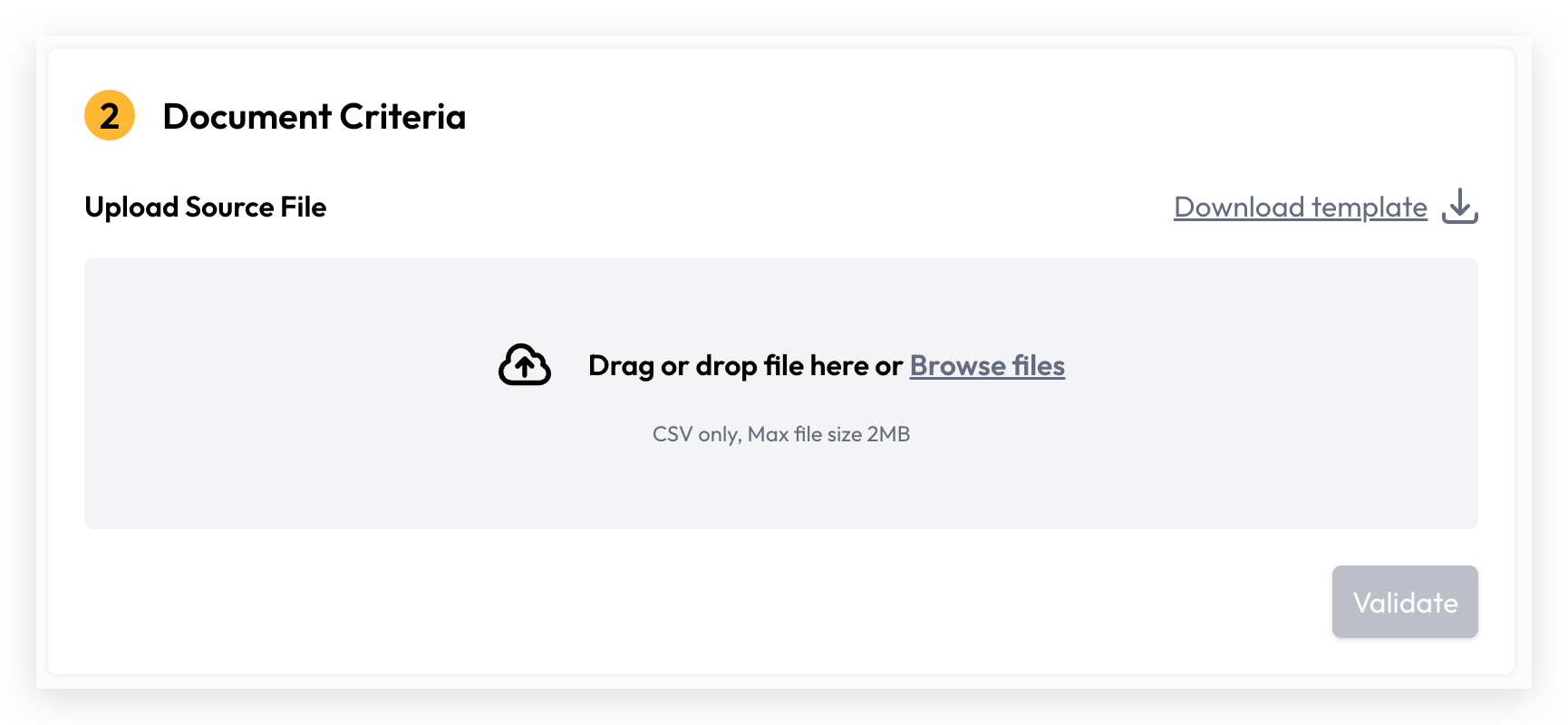
Download template (CSV)
The default template includes the required account_number column. Each value must match an existing investor account within the organisation and be unique per row to represent an individual investor account.
Following the account_number column, you may define your own custom column headers. Each header name must meet the following criteria, otherwise an error will be raised.
Column header requirements
Duplicate account_number value is not allowed.
The name for the first header column is account_number.
Duplicate header columns are not allowed.
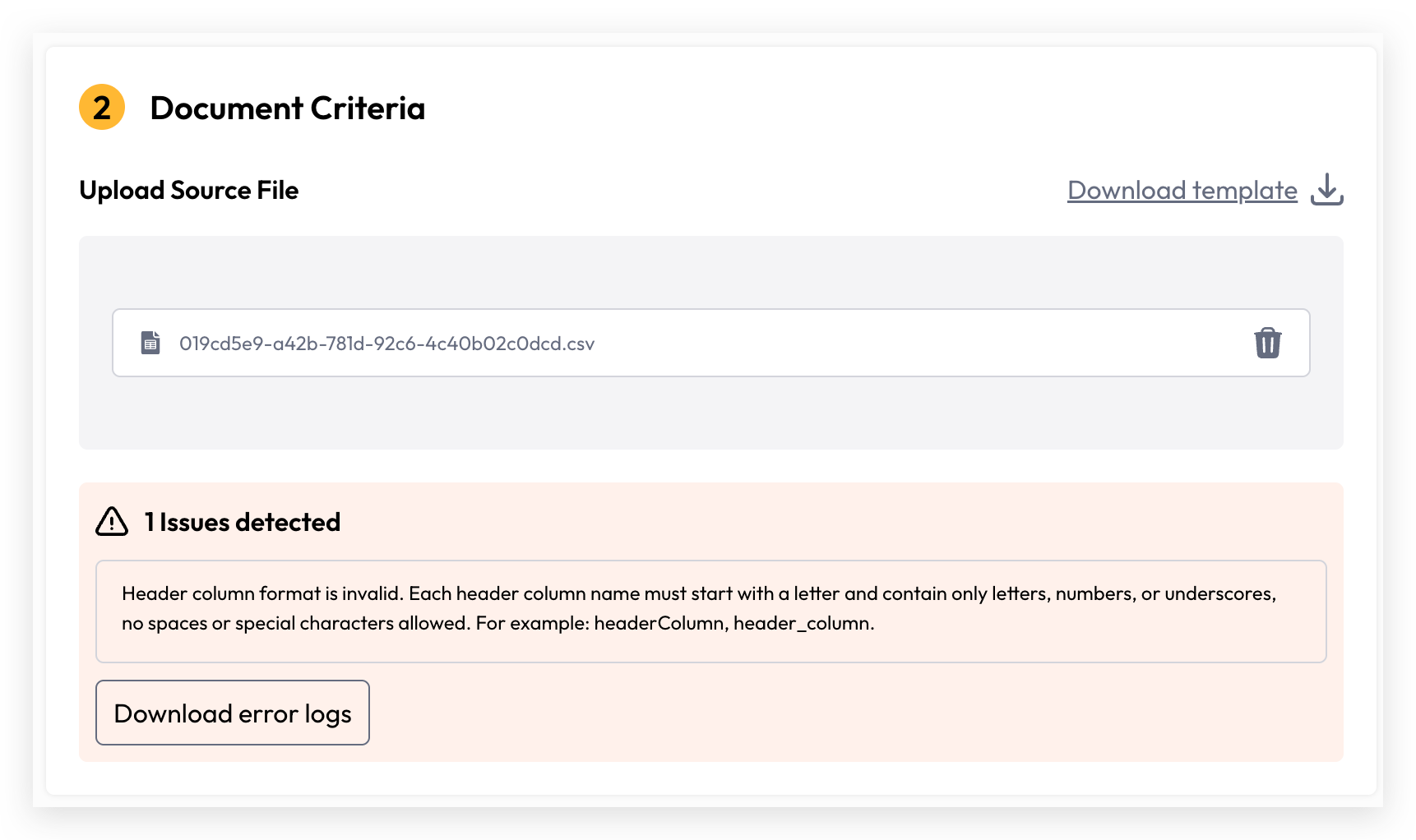
Each header column name must start with a letter and contain only letters numbers or underscores with no spaces or special characters allowed. For example: headerColumn header_column.
Upload Source File
Once your file is ready, drag and drop it or click Browse File to upload. Then click Validate — the system will match investor accounts and validate your column headers.
Preview and live generation are only available once validation has passed. If there are errors, a list will be shown indicating which data needs to be corrected.
For further information about:
Still need help? Share an idea