Manage Document Templates
Learn how to prepare document template for PDF documents generation
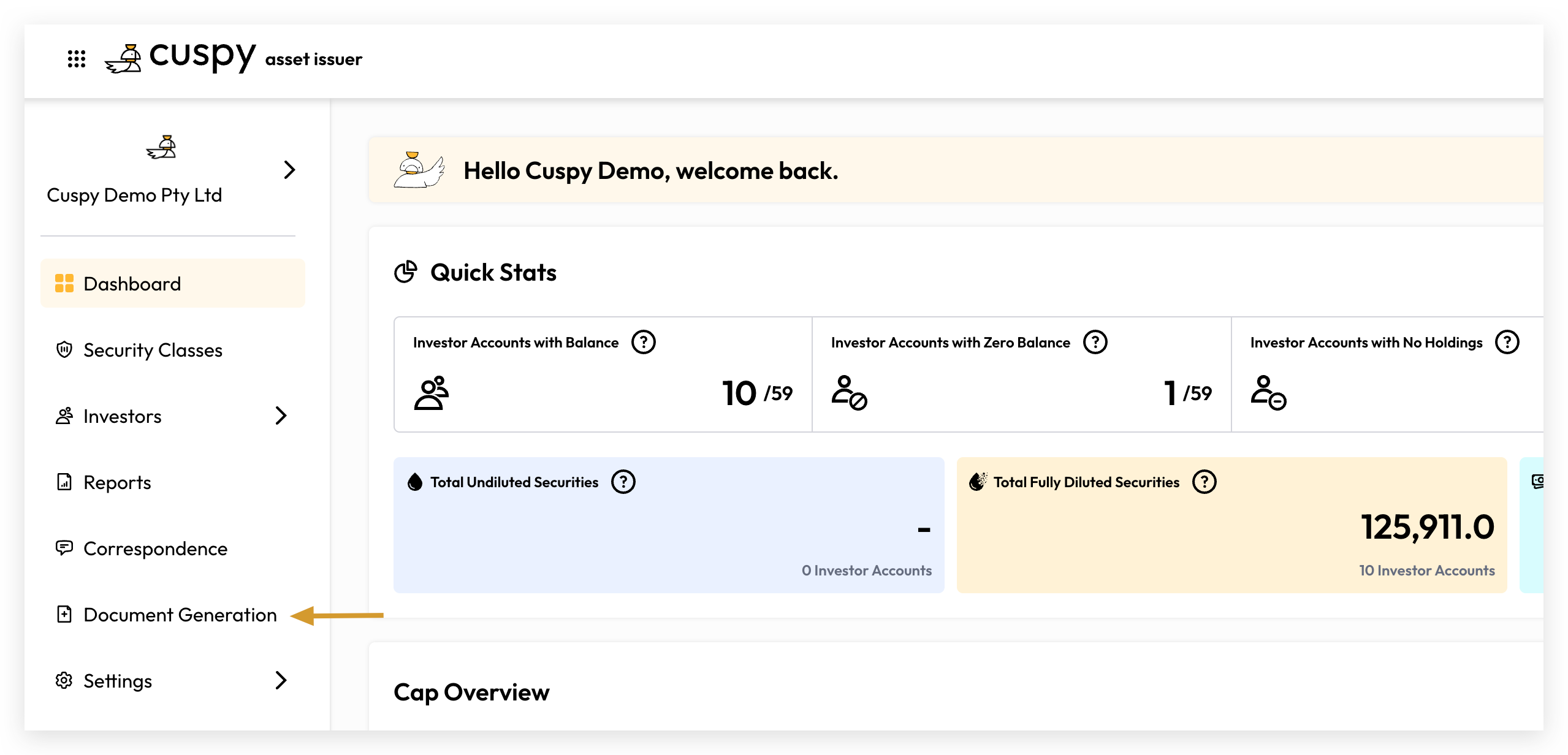
Cuspy allows users to create and manage their own document templates for PDF generation. Templates are based on the Word format, giving users full control over branding and layout customisation.
Default Template
Go to Document Generation > Manage Templates
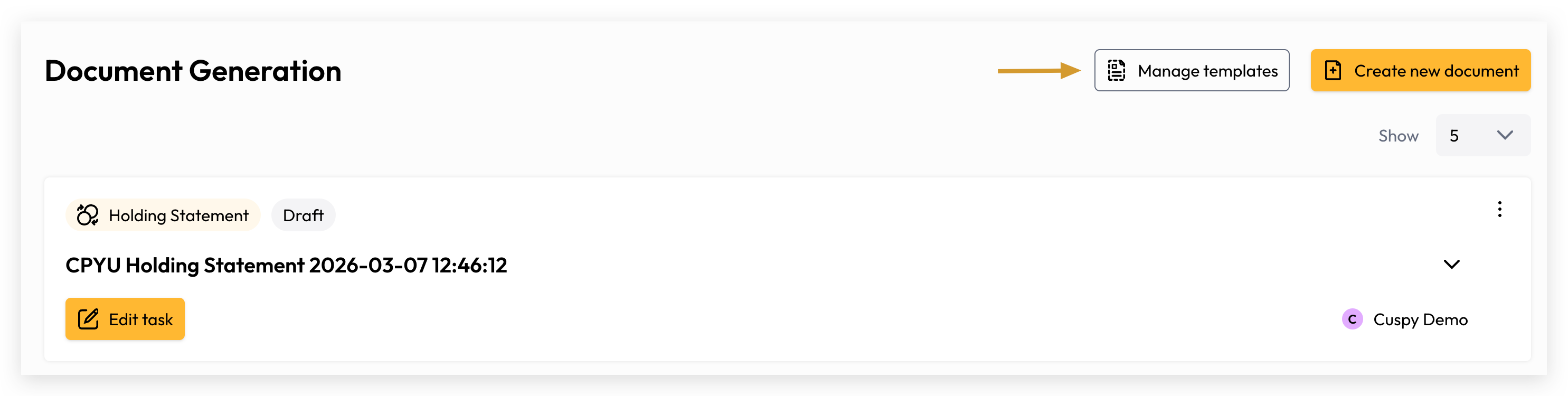
By default, Cuspy provides a built-in Holding Statement template with all available merge fields pre-configured, enabling dynamic generation of investor account holding details out of the box.
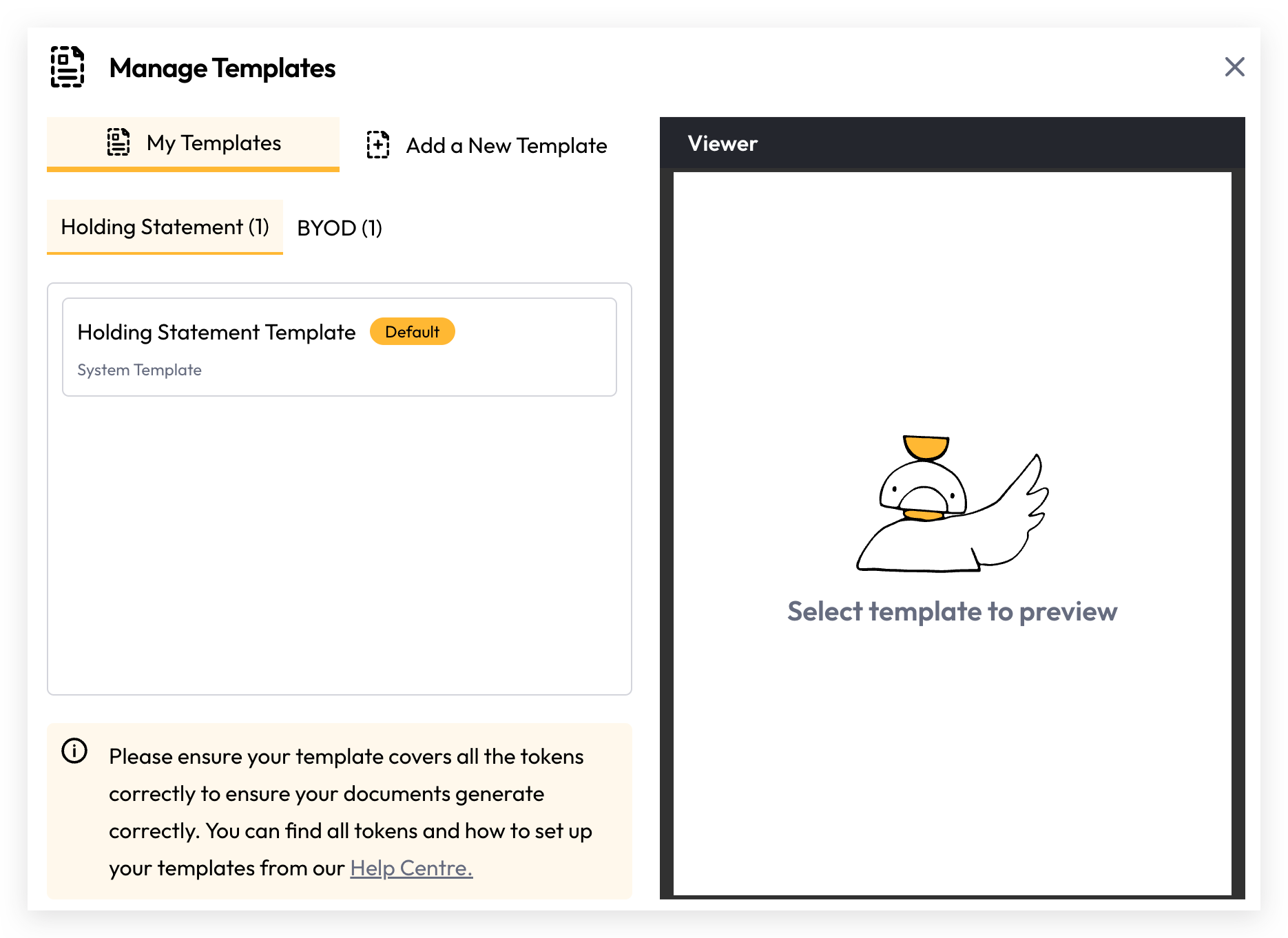
Add a New Template
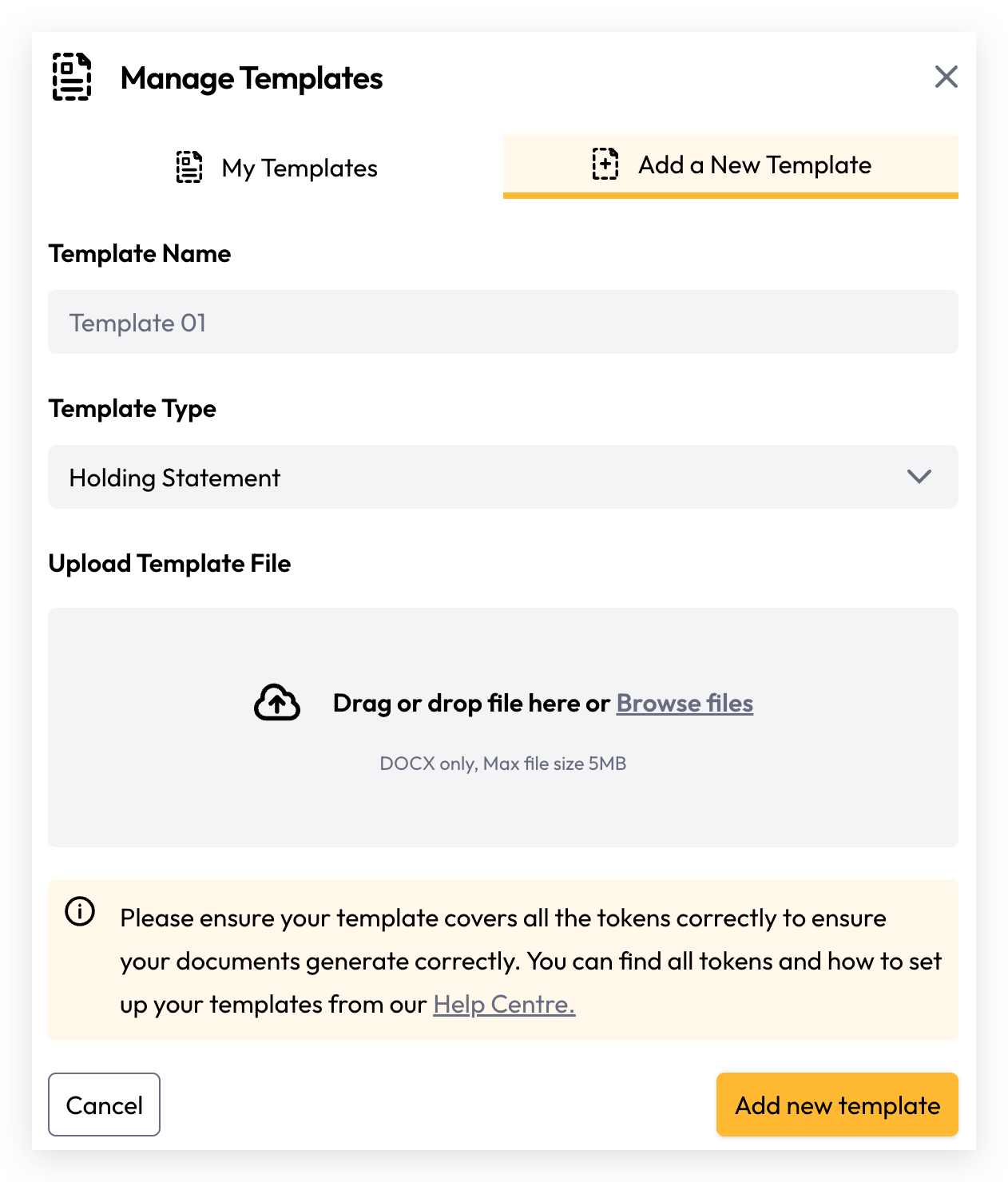
Define your template name
Selecte Template Type
Holding Statement: Generate security transaction statements for use in Holding Statements generation.
BYOD: Bring Your Own Data (BYOD) enables you to generate PDF documents using your own custom data, uploaded via CSV.
Upload your prepared word template, then Add new template
Mark Default Holding Statement Template
By default, the system's built-in holding statement template is used when investors generate their holding statement from the Investor Wallet. If you prefer to use your own branded template, you can upload a customised template and set it as the default.
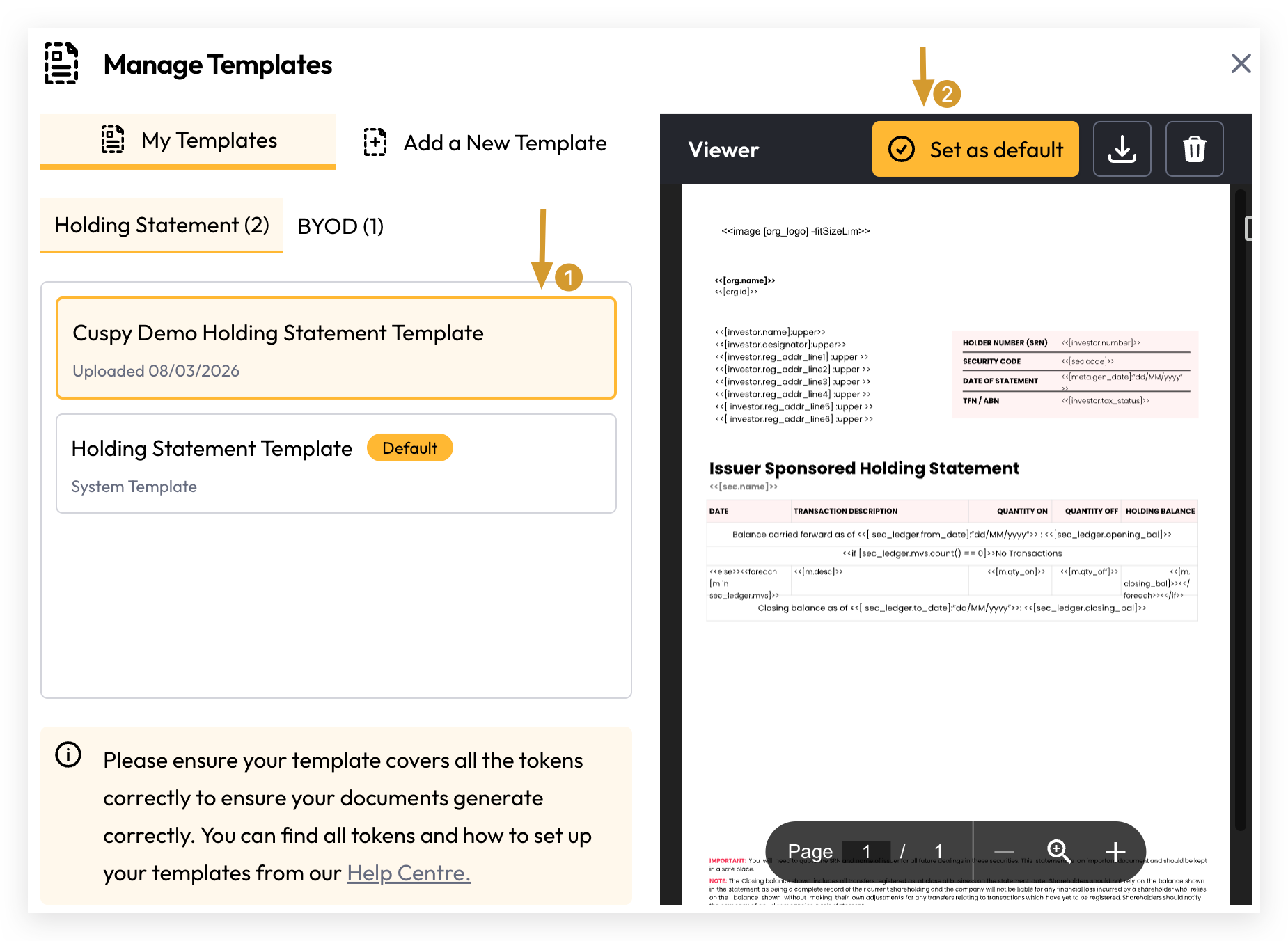
Preview Template
Once uploaded, simply click on the template to automatically load and preview its contents in the panel on the right.
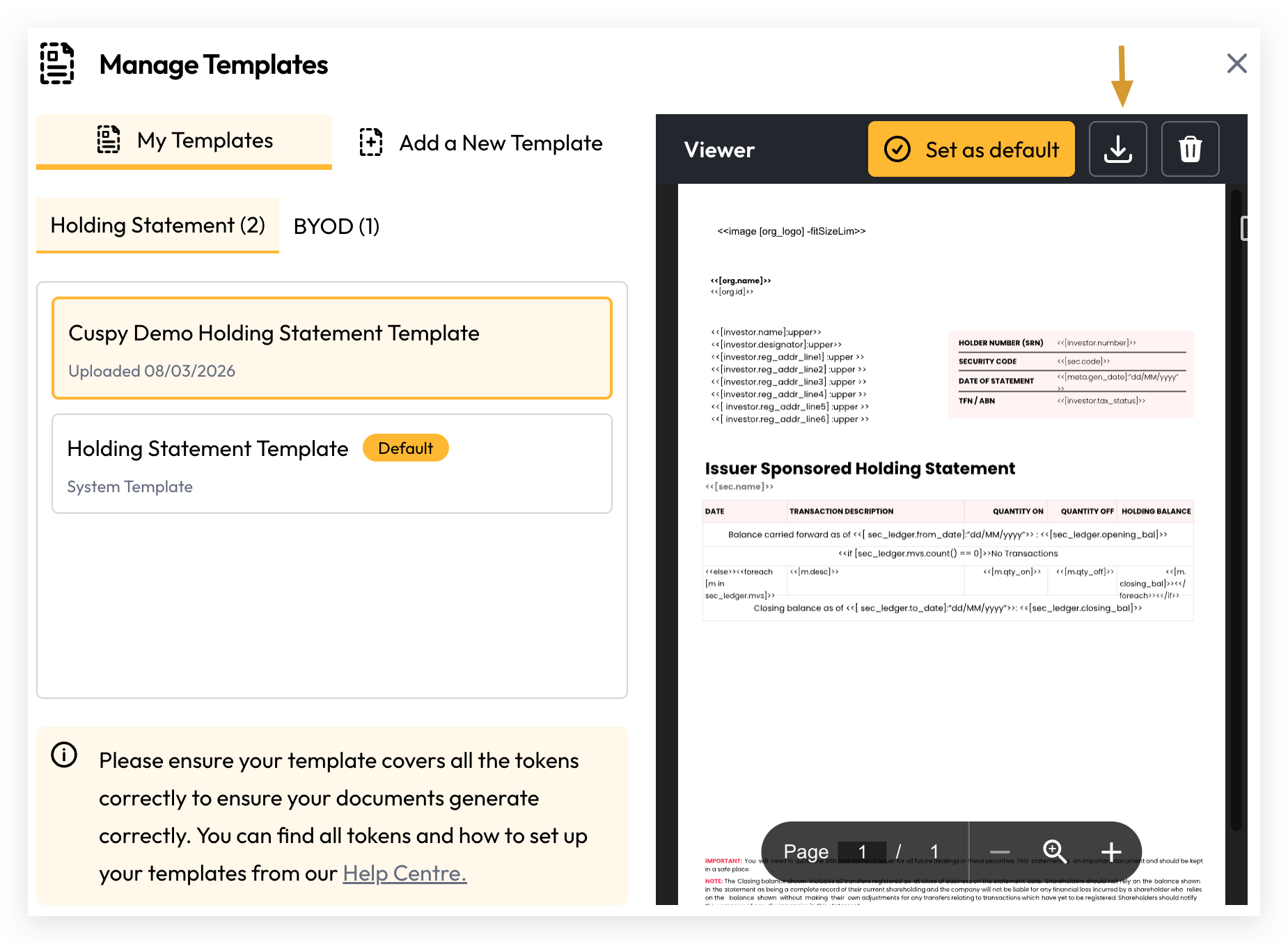
Download Template
Select the template and click the download icon in the template viewer toolbar to download it.
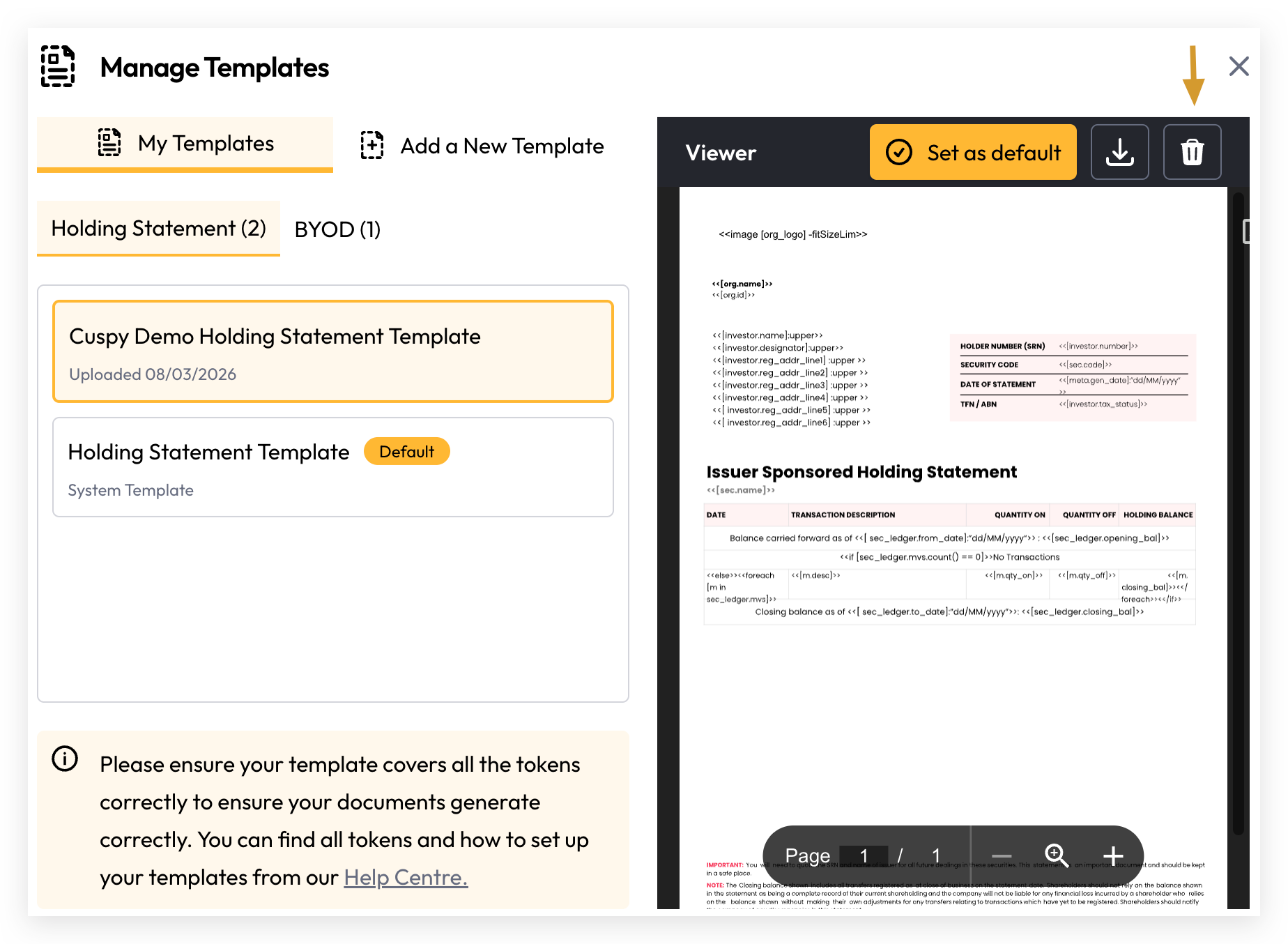
Delete Template
Select the template and click the delete icon in the template viewer toolbar to delete it.
Still need help? Share an idea