Manage Security Class

Learn how to create and maintain the security class.
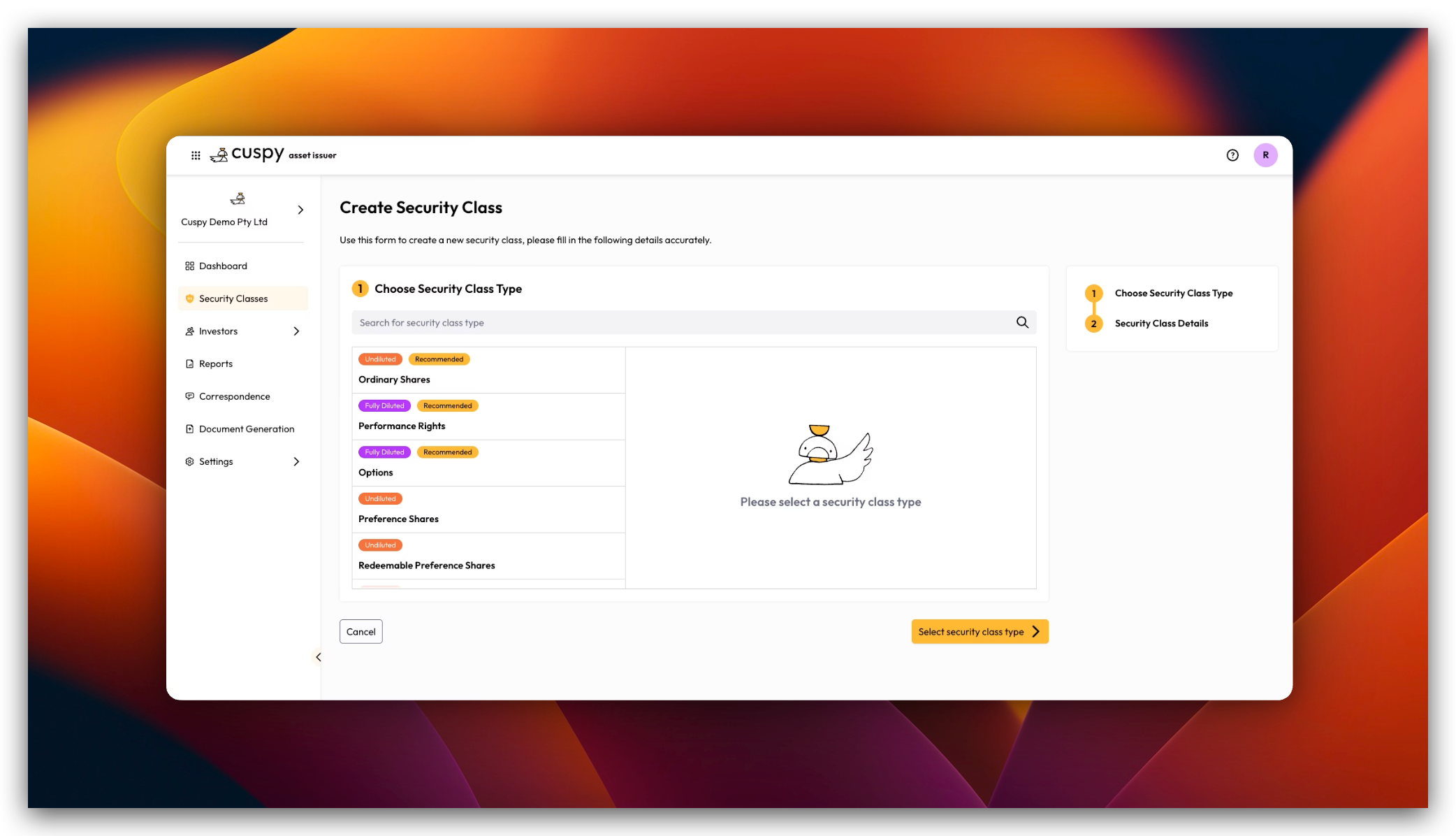
Before starting create security class, please explore and understand the definition of Security Class

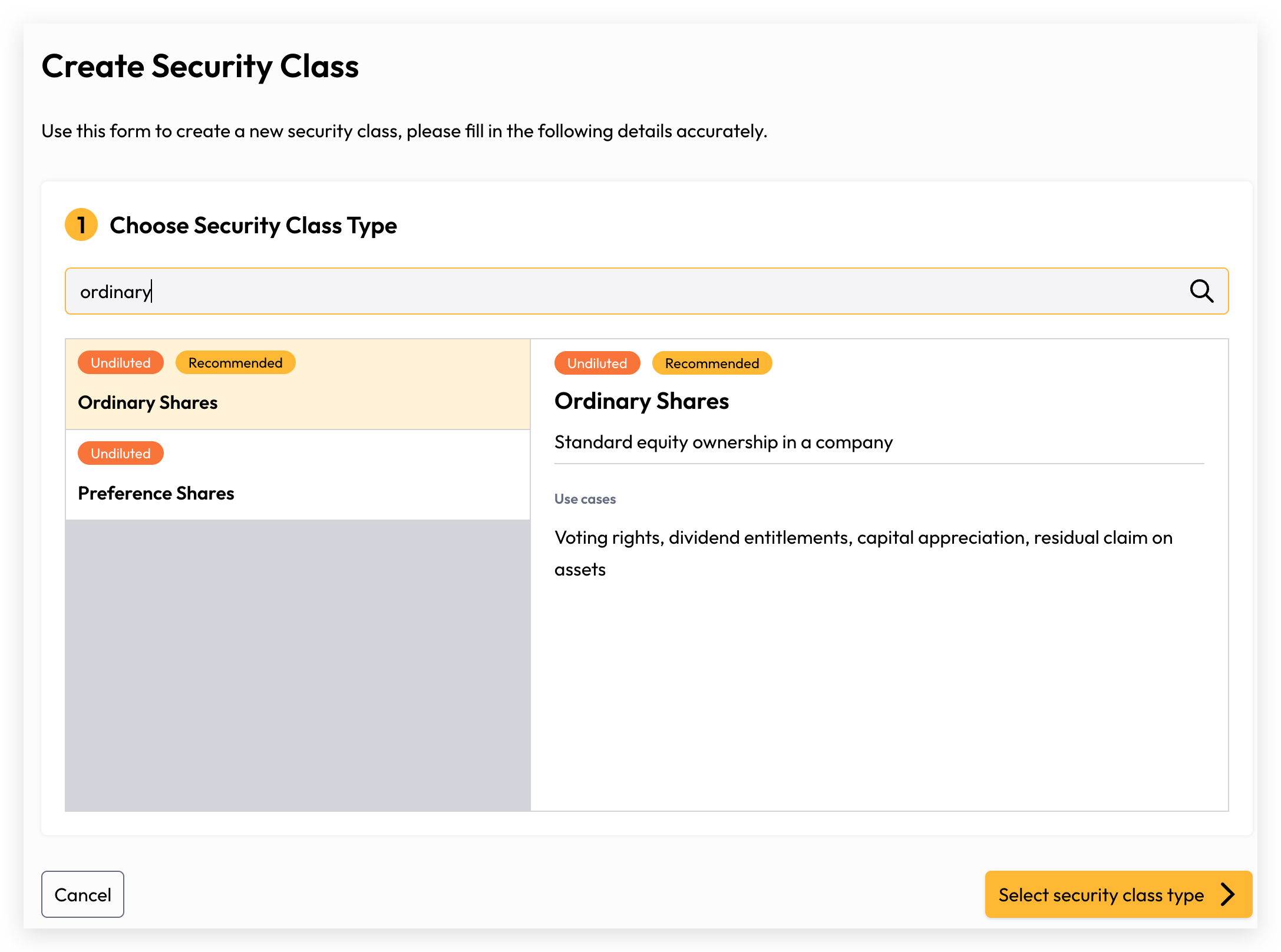
Select Type

Please ensure you select the correct security class type when creating it, as it cannot be modified once it is created. If an incorrect security class has been created, you will need to create a new one and mark the incorrect one as inactive.
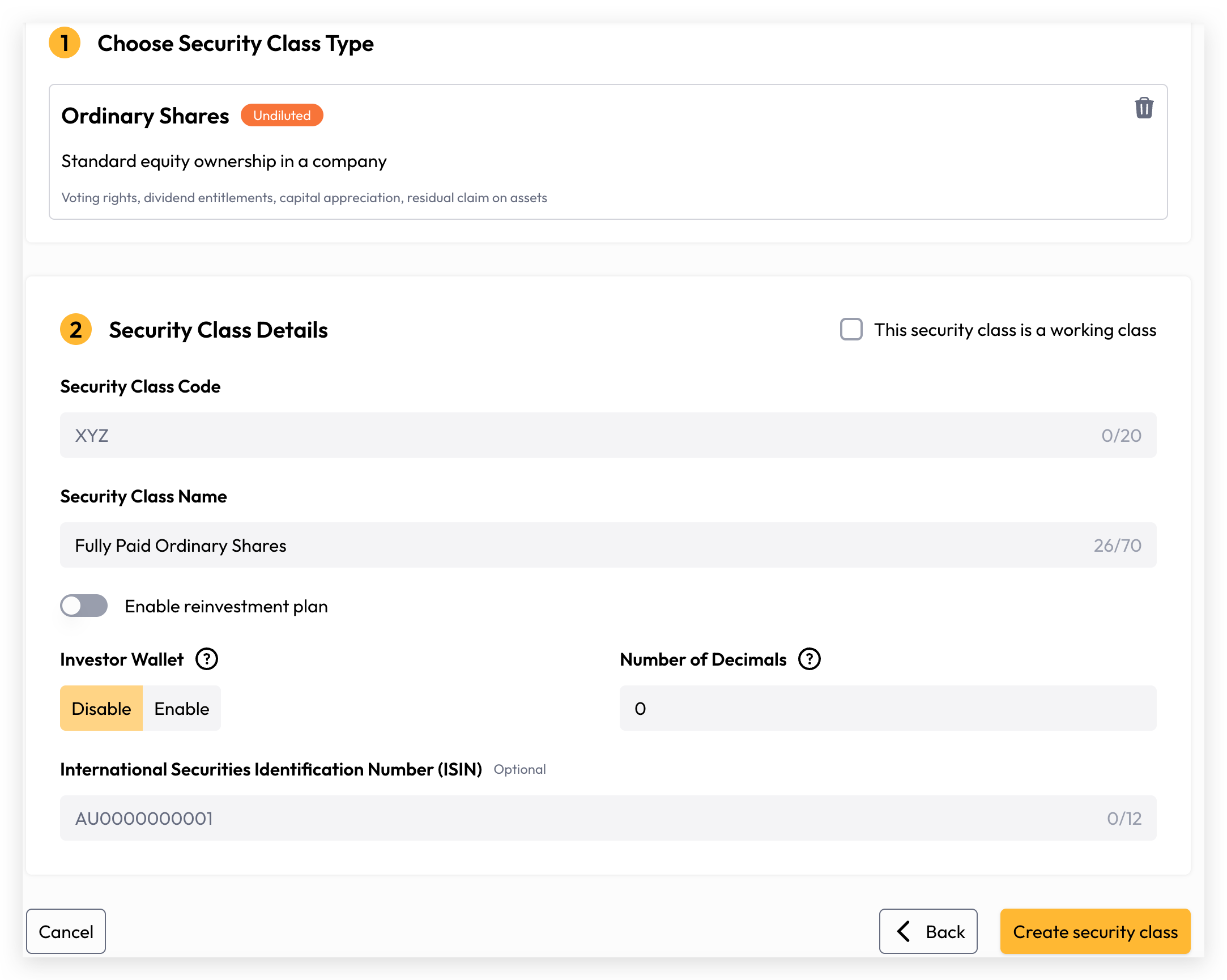
Security Class Details
Attribute

Description

Required

Security Class Code

Then unique code for the security class cross your organisation.

Yes

Security Class Name

Cuspy will attempt to pre-fill the security class name automatically. However, users are free to override this and provide a custom name if preferred.

Yes

Reinvestment Plan

If dividends are applicable, this toggle enables the configuration of the Dividend Reinvestment Plan (DRP) — a program that allows investors to automatically reinvest their cash dividends into additional securities rather than receiving a cash payout.

No

Investor Wallet

This flag controls whether the security class holdings are visible to investors in their Investor Wallet. When enabled, investors who have claimed their account will be able to view their holdings for this security class. If disabled, the holdings will not be displayed in the Investor Wallet.

Number of Decimals

For companies, securities are typically issued in whole numbers with no decimal places. However, for trusts or funds, units may require up to eight decimal places to accommodate fractional unit holdings. Cuspy supports a maximum of 20 decimal places, with a default of 0. Please note that once the security class has been created, the decimal configuration cannot be modified, so ensure the correct value is set before saving.

Yes

Once the security class has been created, you can proceed with the following:

Manage Investor Accounts

Manage Assets Transactions