Changelog

Follow new updates and improvements to Cuspy.

🎉 Data Rooms Now Live
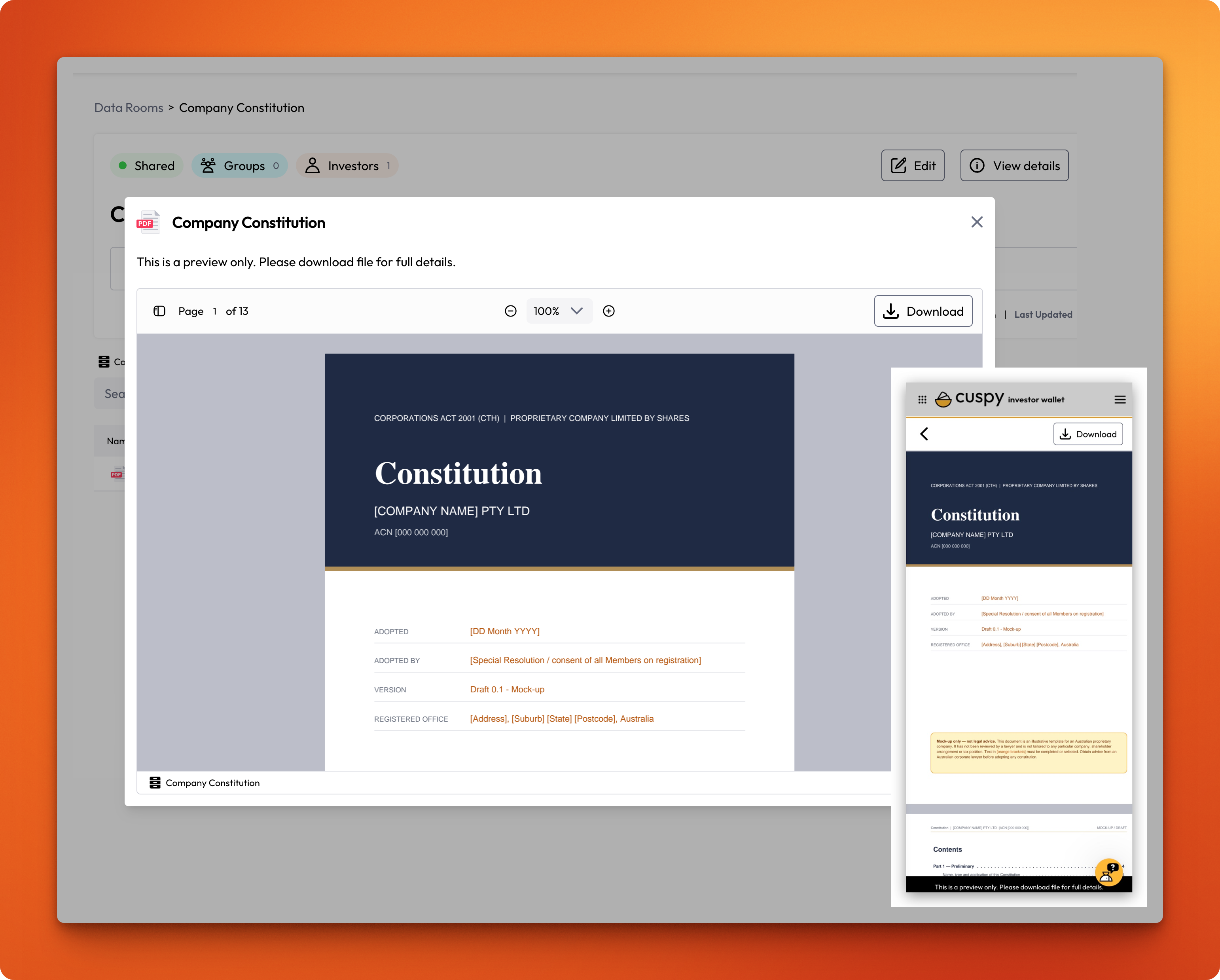
You can now share confidential documents with your investors from one secure place in Cuspy.

What you can do

  • Create data rooms: Set up as many rooms as you need and organise each room with folders up to five levels deep. Popular documents to share include the Company Constitution, Shareholders' Agreement, Information Memorandum, Financial Statements, Investor Presentations and Board Papers.

  • Upload your key documents: Add PDFs, Word, Excel and PowerPoint files, CSVs, images and videos.

  • Share with the right people: Give access to investor groups, individual investor accounts, or all investors, including investors you add later. You can also invite external advisers or lawyers by email.

  • Keep access up to date automatically: When you share a room with an investor group, access follows the group. Add or remove a member, and their access changes straight away.

  • Remove access instantly: Take away access at any time. It ends immediately.

Investors open shared rooms under Data Rooms in their Investor Wallet. As soon as they're given access, they get an email letting them know the room is ready.

📖 Read the full guides: Manage Data Rooms and Share Data Rooms in the Cuspy Help Centre

Any questions or want a feature demo? Please reach us at help@cuspy.app.
New

🎉 ESOP Escrow and Vesting feature ready

Rules now support ESOP escrow and vesting end to end, so you can hold and release employee securities on the terms you actually agreed to — without tracking schedules in a spreadsheet.

What you can set up

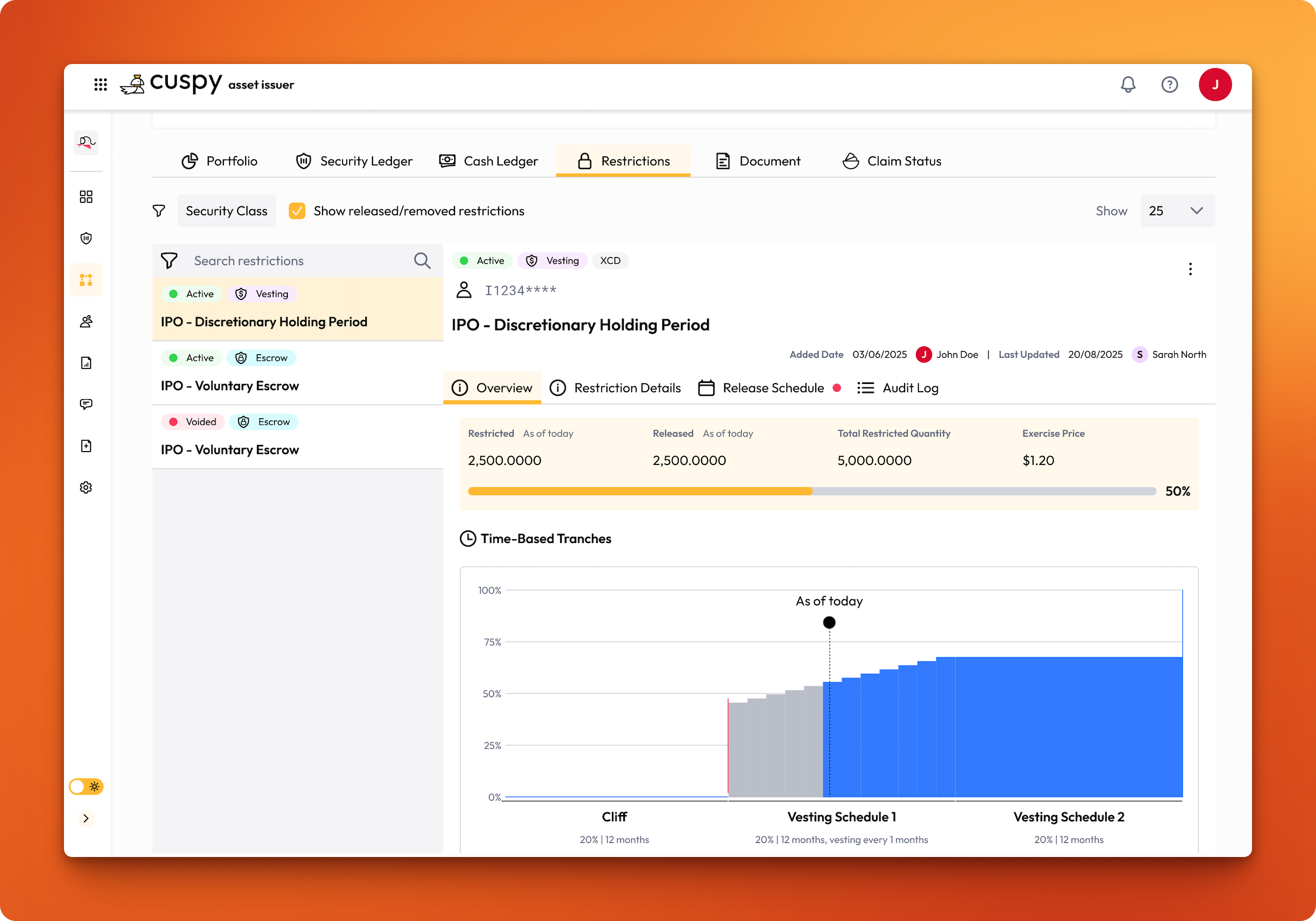
  • Escrow and vesting — hold a quantity of an investor's holding under a defined schedule, as a single lock-up or split across tranches.

  • Time-based release — securities release on set dates or intervals, such as a 12-month cliff followed by quarterly tranches.

  • Event-based release — release is triggered by a condition being met rather than a date, such as a milestone or a corporate event.

  • Hybrid — combine both, so a tranche needs its date and its condition before it can be released.

  • Automatic or manual release — let a tranche release itself when it falls due, or require approval before anything moves.

Create the rule once as a reusable template, publish it, then apply it to any investor's holding when you create a transaction or against an existing one. Release activity is tracked, notifications can be sent to investors and your team, and the Security Restriction Report gives you an as-of-date view of what's restricted and what's been released.

📖 Read the full guide: Rules in the Cuspy Help Centre

Want to see it on your own cap table? Our team is happy to set up a quick demo — reach us at help@cuspy.app or visit us https://www.cuspy.app/contact#request-demo.

New

✨ Top Holders by Beneficial Ownership

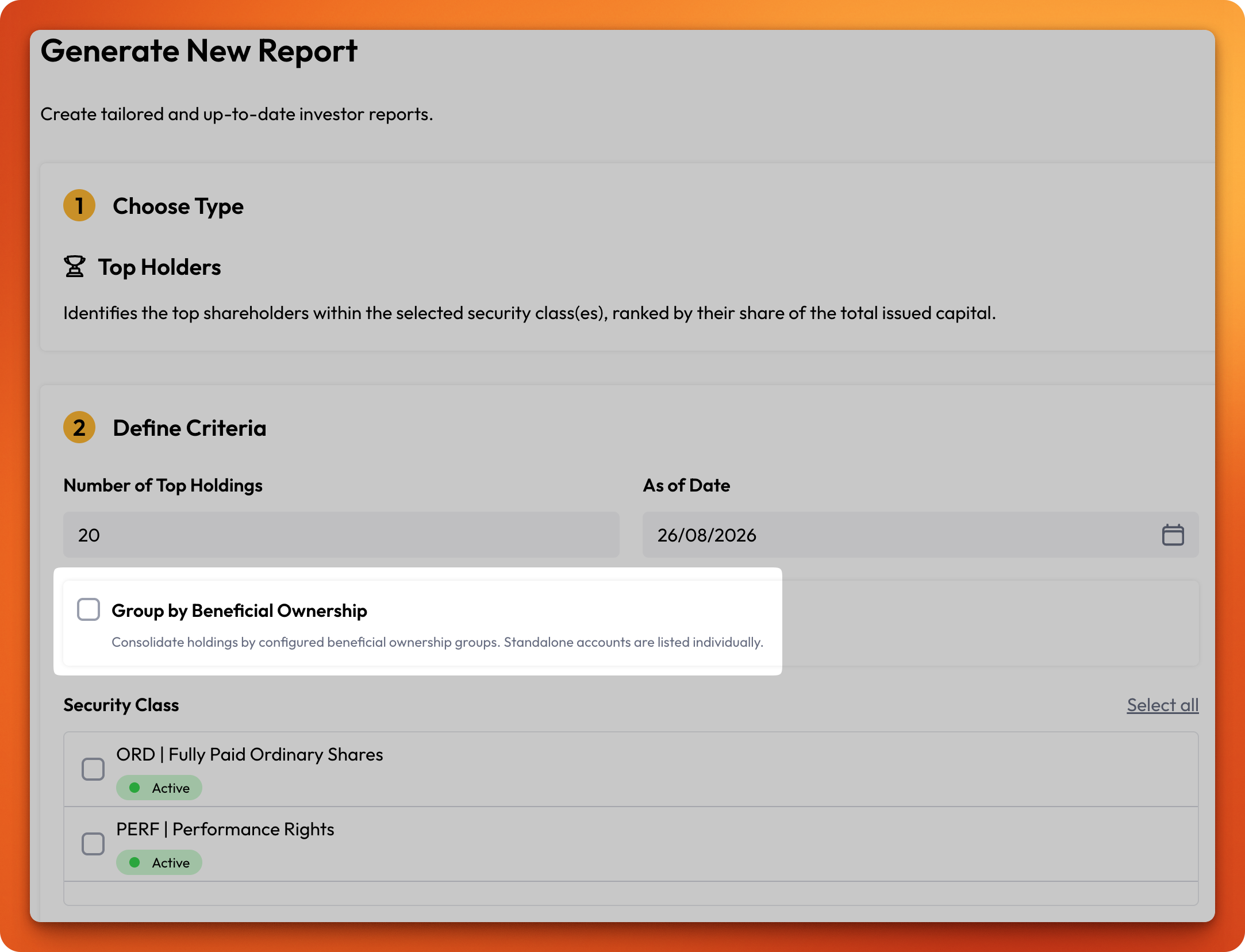
Your Top Holders report can now report a set of investor accounts as the single owner they really are. Where one underlying owner holds through several accounts — a family's trusts and personal holdings, or an institution's nominee structures — group those accounts once, and the report ranks them by their combined holding instead of scattering them across separate lines.

What you can do:

Build reusable investor groups from the accounts in your organisation, mark a group as a beneficial ownership group, and generate a Top Holders report that consolidates each group into one holder — with its member accounts broken out beneath it. Standalone accounts continue to be listed individually, exactly as before.

Groups resolve live: change a group's membership once and every report you generate from then on reflects it, with no lists to maintain in two places.

How it works:

Head to Investors > Investor Groups and select Create new group. Give the group a name, tick This is a beneficial ownership group, and search for the investor accounts to include. An investor account can belong to only one beneficial ownership group, so each holding has a single, unambiguous owner.

Then generate your report as usual under Reports > Top Holders and tick Group by Beneficial Ownership in the Define Criteria step. Leave it unticked to report every investor account individually.

Grouping is all or nothing: if a group's combined holding doesn't reach your Number of Top Holdings cut-off, neither the group nor its member accounts appears in the report.

Learn more:

Top Holder Report — generating the report and what the beneficial ownership option changes.

Investor Groups — creating groups, managing members, and how beneficial ownership groups work.

New

Earlier updates