Security Restriction Report
A consolidated view of security restrictions across all or selected rules and investor accounts. Select an as-of date to monitor current status or trace historical restriction and release activity.
Choose Type
Select Register Report > Security Restriction Report
Define Criteria
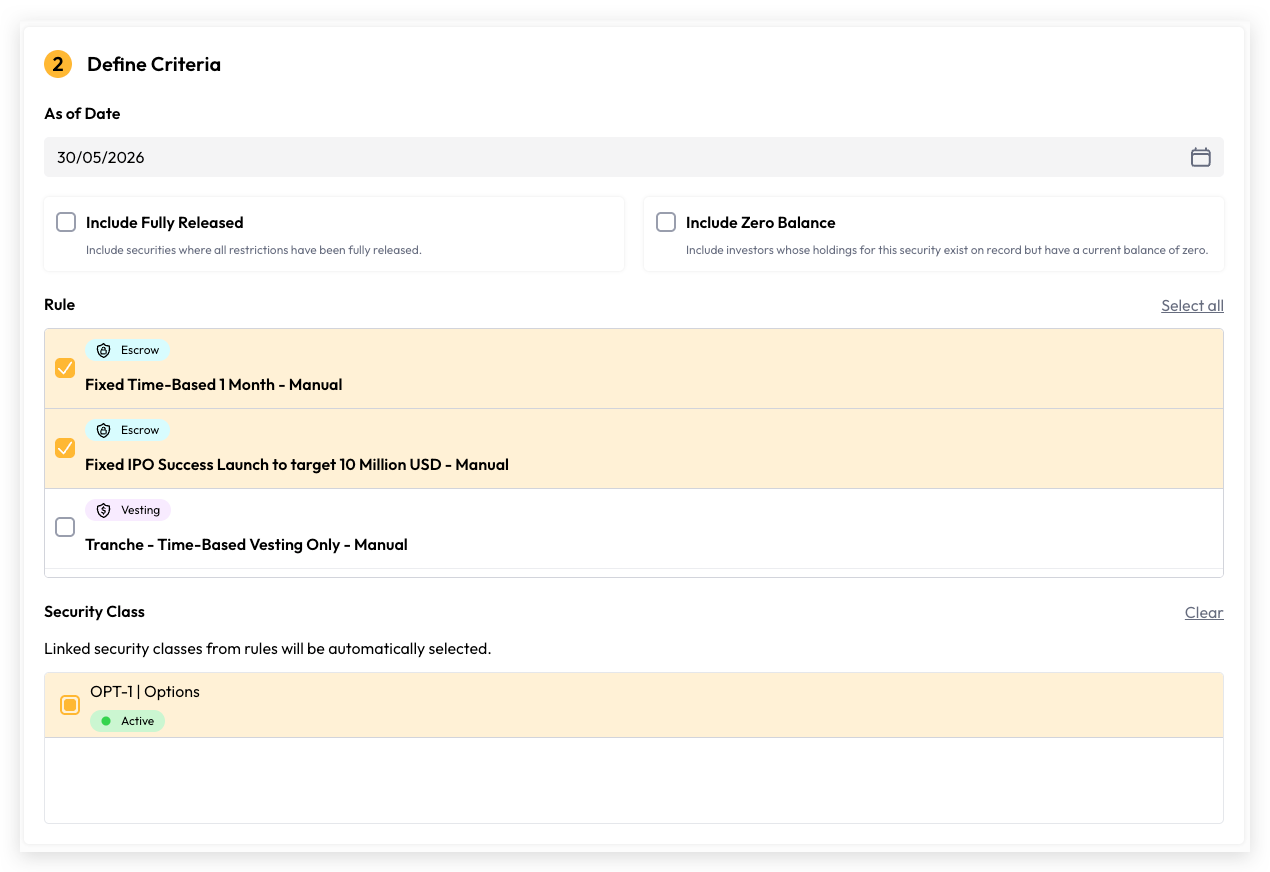
Select As of Date: The "As of Date" determines the reference point for your report. It can be set to today or any historical date, but cannot be a future date. All security restrictions reflected in the report represent the restriction quantity and release status as at the selected date.
Include Fully Released: Include securities where all restrictions have been fully released.
Include Zero Balance: Include investors whose holdings for this security exist on record but have a current balance of zero.
Rule: Multi select existing published rules
Security Class: Multi select security classes linked from selected rules
Generate Report
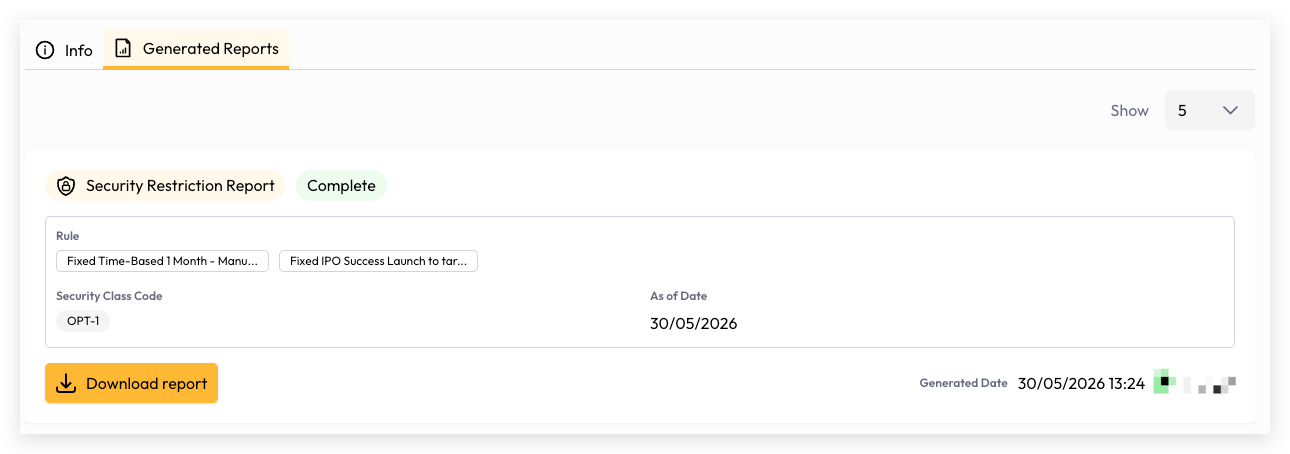
Your report is now ready to generate. Depending on the volume of data, generation may take a few seconds or longer. You can monitor the progress directly on the report generation screen, and once complete, simply click the Download button to access and view your report.
Still need help? Share an idea