Claim your Investor Account
Learn how to claim your investor account inside the investor wallet after sign in.
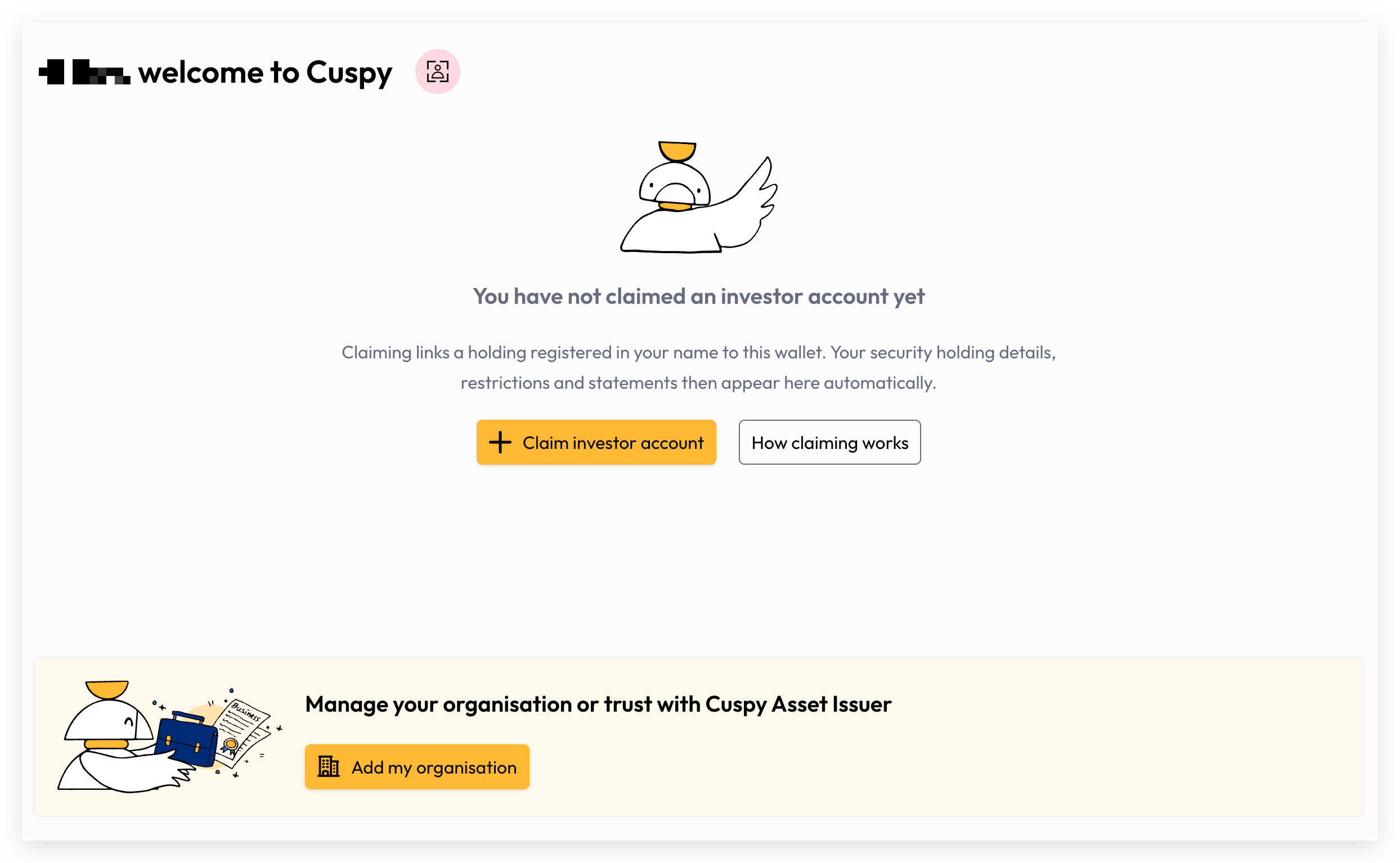
Sign in to Cuspy and then click on 'Claim investor account'.
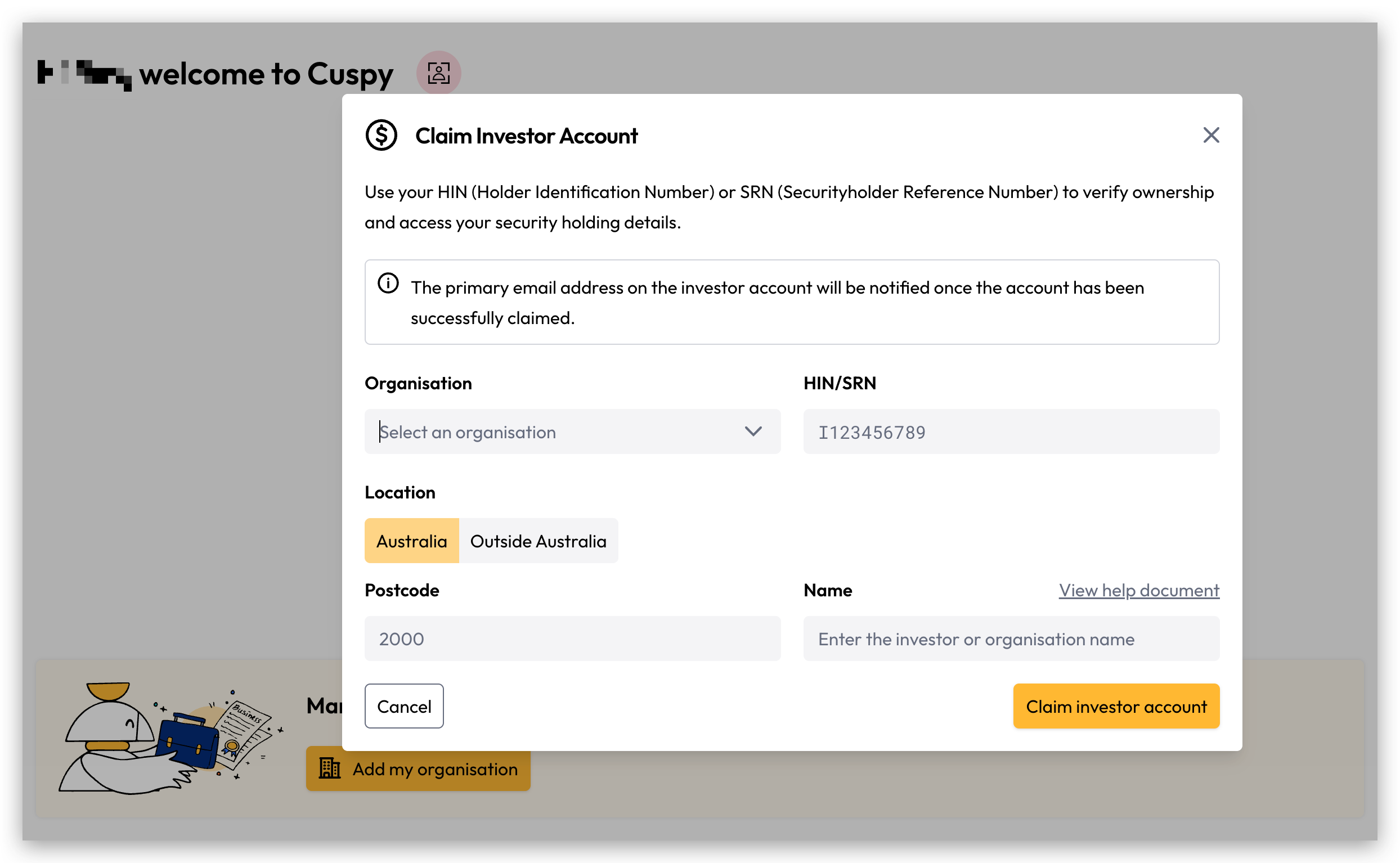
Fill in the form with your investor account information and click 'Claim investor account'.
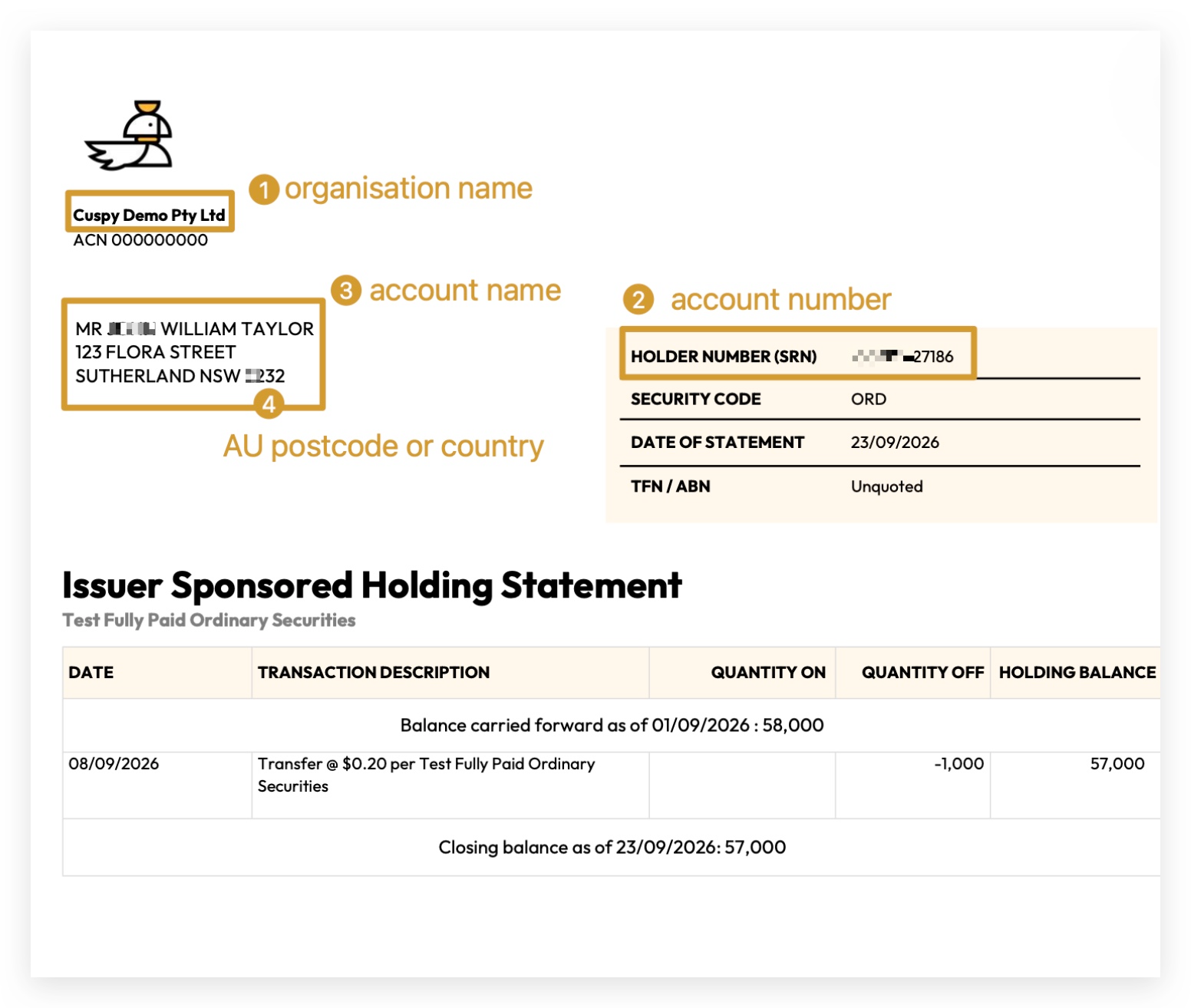
You can find the organisation name, HIN/SRN and account name on your Holding Statement. The easiest way to enter the account name is to copy it exactly as it is printed there.
How Name Verification Works
Individuals
Enter the name exactly as it appears on your holding statement.
Recorded: Mr John Doe Smith
Joint Accounts
Enter the holders’ names exactly as printed on your holding statement, joined with +.
Recorded: Mr John Doe Smith + Ms Jane Roe + Mr Paul Allen
Organisations
Enter the full business name exactly as it appears on your holding statement.
Recorded: Cuspy Pty Ltd
Accounts with an account designation
Some accounts have an account designation, for example a family account or a superannuation fund. Your holding statement shows it after the name, inside angle brackets (< >).
Copy the whole line from your holding statement, including the < >.
Recorded: Acme Holdings Pty Ltd <Smith Family A/C>
Trust and other designated accounts
For a trust, your holding statement usually shows the trustee's name, then ATF (as trustee for), then the trust name. Accounts can also use ITF (in trust for), ACF (as custodian for) or EST (estate of).
Copy the whole line from your holding statement, keeping the short form (ATF, ITF, ACF or EST) as printed.
Recorded: Mr John Smith + Mrs Jane Smith ATF Smith Family Trust
Once you have entered all your details, your investor account will appear as below.
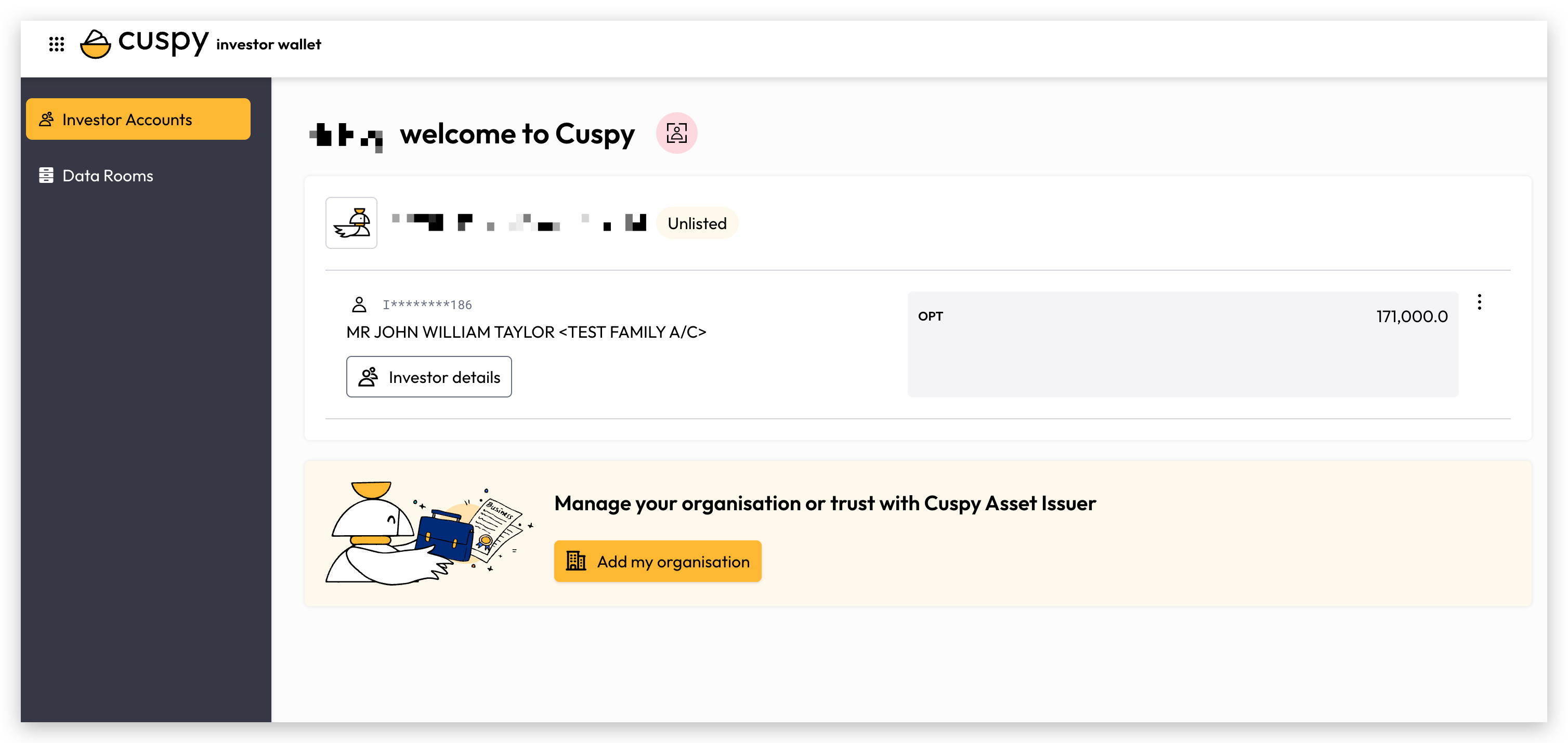
Click 'View details' to see transactions, communication preferences, payment details, and documents for your investor account. Read more about investor account details here.
If you are having any difficulties, please contact us and we will help you out.
Was this helpful?