Manage Assets Transactions
Explore everything you need to know about managing asset transactions in Cuspy, from processing security transactions such as allotments, transfers, and conversions, to handling cash transactions including deposits and redemptions.
Before getting started, if you'd like to learn more about the concepts and technical design principles behind our security and cash ledgers, you can find further details here.
With your security classes Security Class Management and investor accounts Manage Investor Accounts in place, you are now ready to issue securities to your investors.
Let us start a simple allotment
Let's begin with a simple allotment example. In this scenario, we will allot 1,000 securities to an investor account under the ORD security class.
Go to investor account > “Make new transaction”

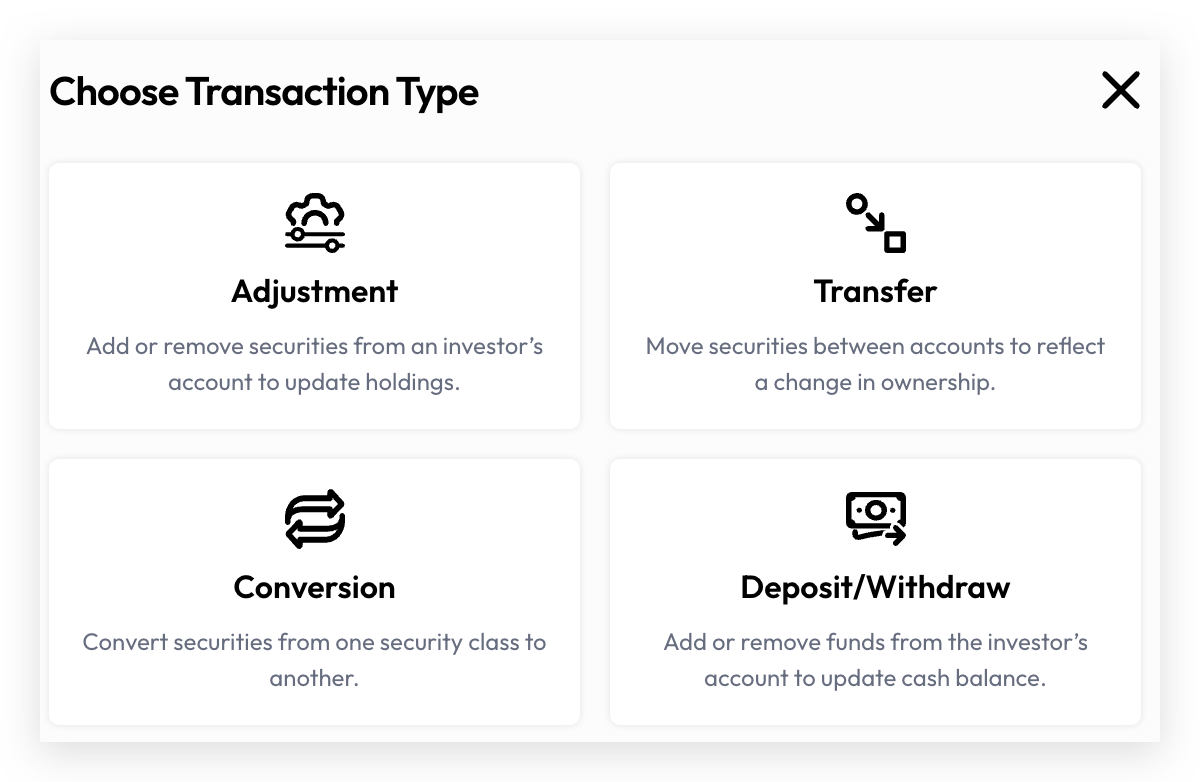
Choose Transaction Type as “Adjustment”
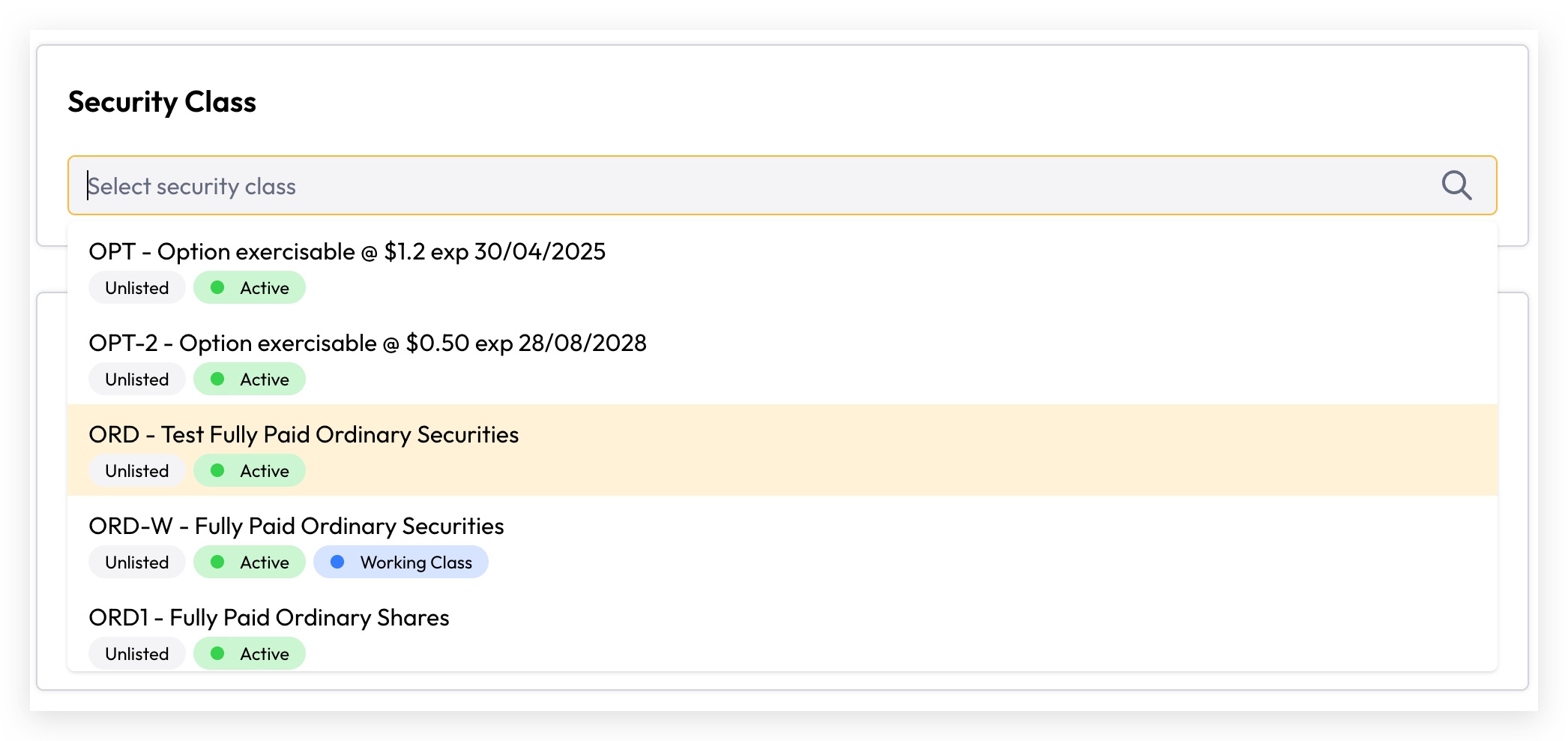
Select an existing security class from the Security Class dropdown
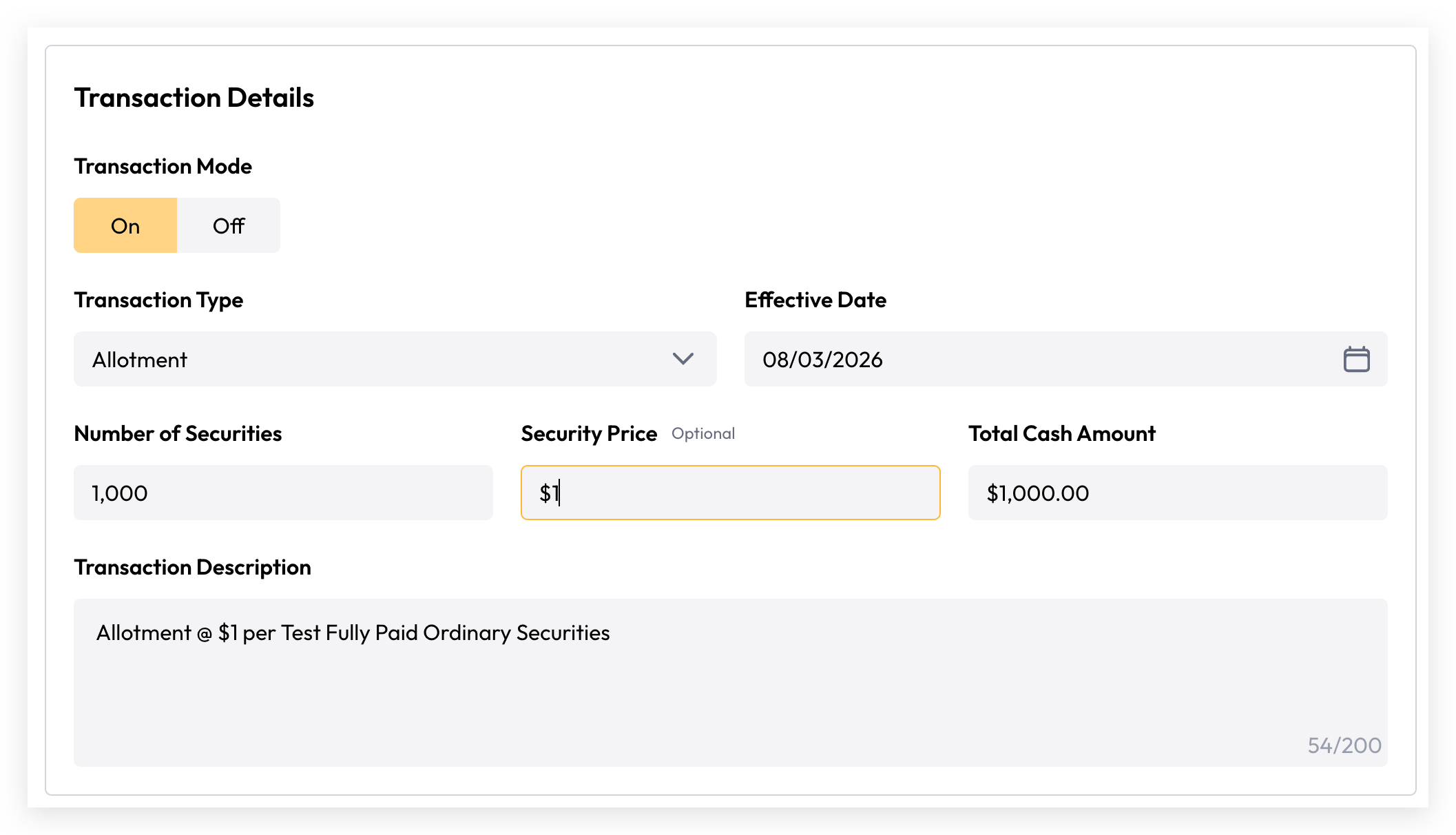
Complete the transaction details with
Transaction Mode: On
Transaction Type: Allotment
Number of Securities: 1,000
Security Price: $1.00
Click “Review and Confirm” and ensure all details are correctly presented on the review page.
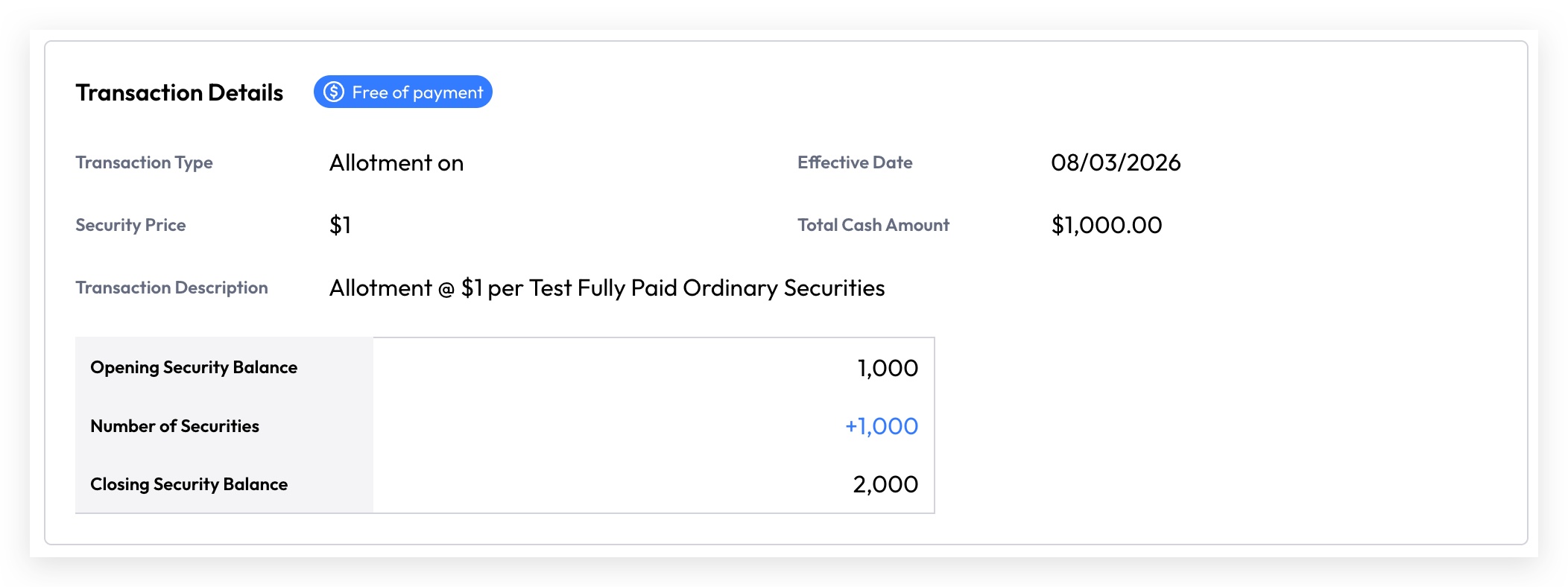
Complete transaction by clicking “Confirm transaction” on the review page.
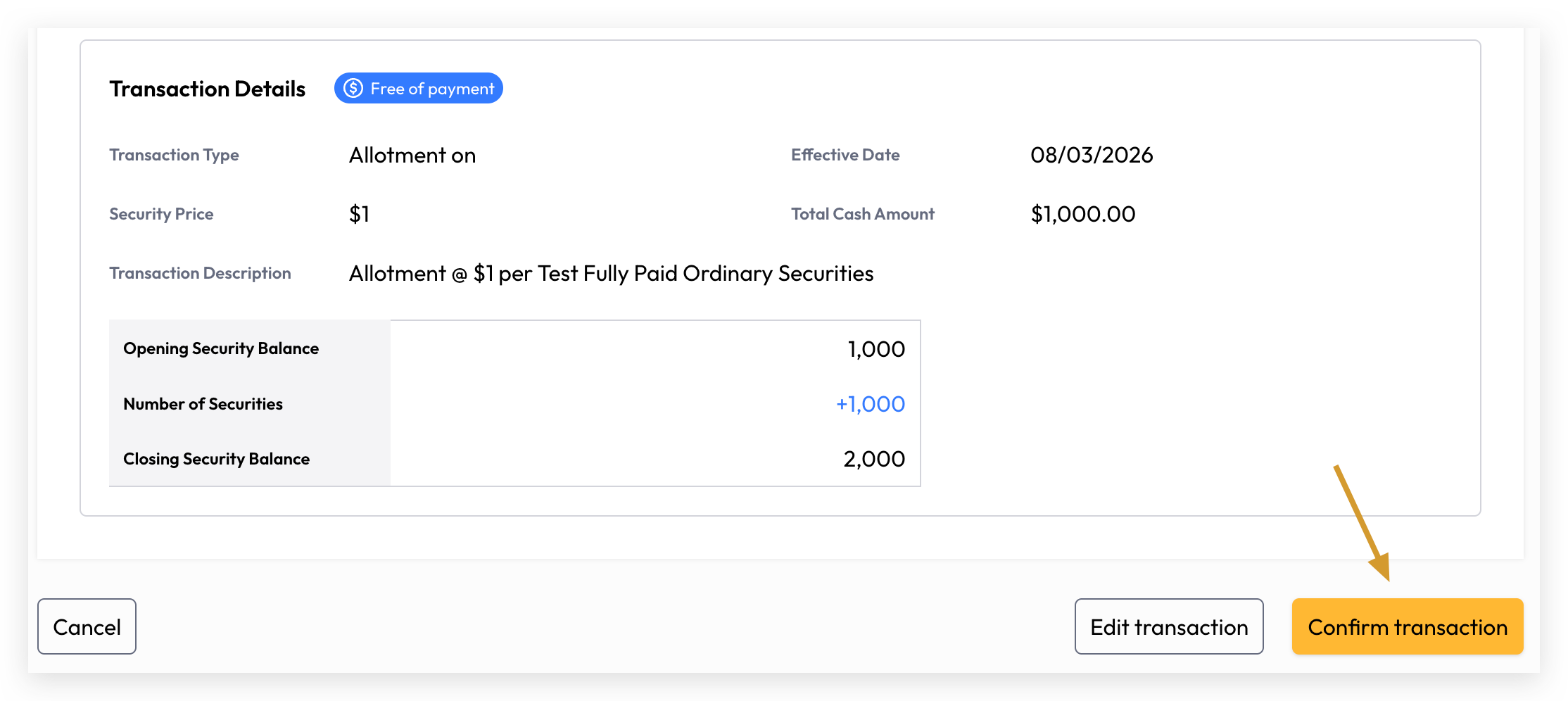
Congratulations! You have successfully allotted 1,000 securities to this investor account. The transaction has been recorded and is now reflected in the investor account's security ledger.
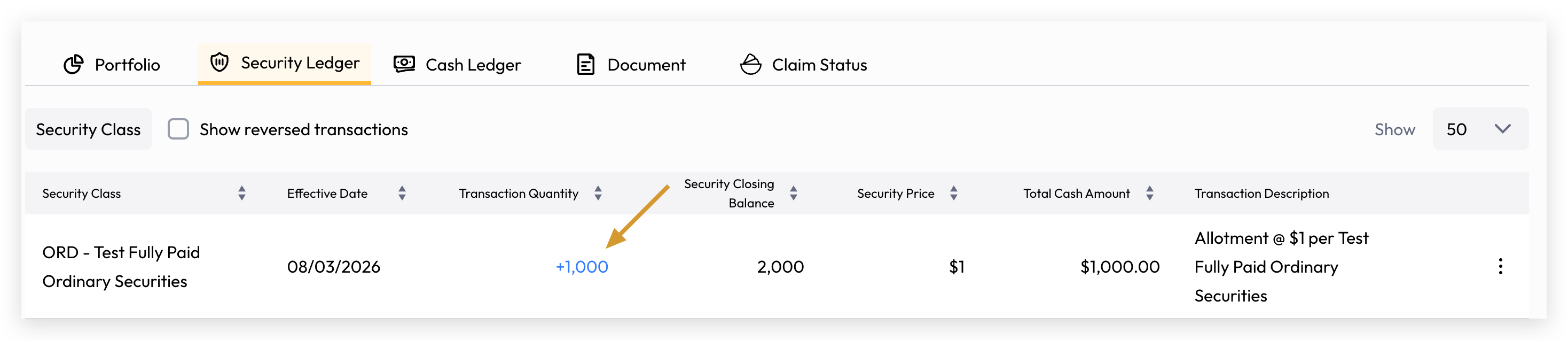
Deduct Securities
Deduct and Remove Securities are separate from balance corrections. If you need to undo a transaction made in error, use the Reversal function below.
The process is identical to the above, with the only difference being that the Transaction Mode should be set to Off. Please ensure the deduction amount does not exceed the available balance, as security transactions cannot result in a negative closing balance.
Backdate Transaction
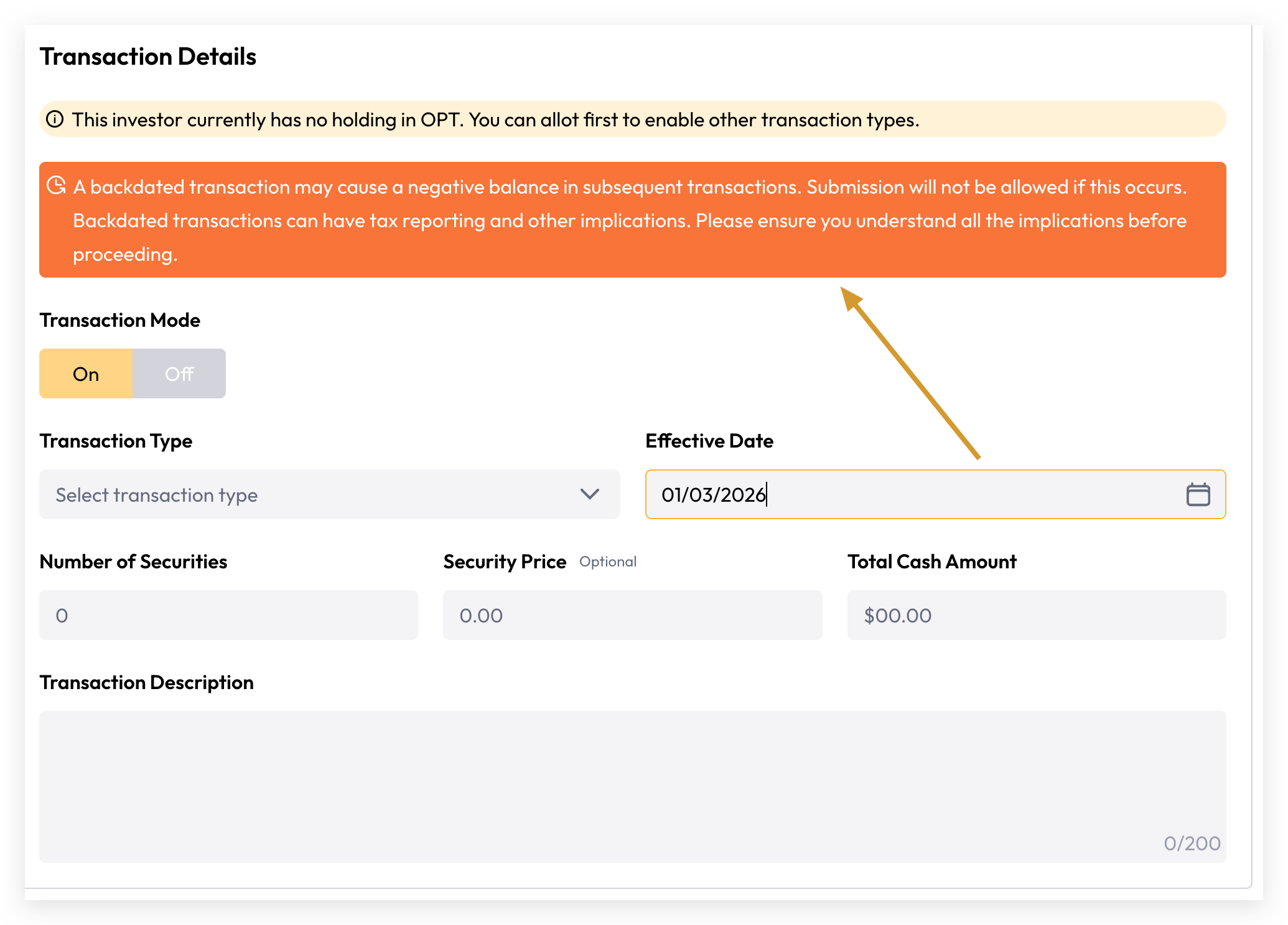
Cuspy supports backdated transactions, allowing users to set a transaction effective date in the past. This provides the flexibility to correct missing transactions or accommodate data migration and transition requirements. As noted, negative closing balances are not permitted. If you encounter a negative closing balance error, please review the existing ledger to identify the root cause. Should a correction be required, Cuspy provides a reversal transaction function to help you reconcile and rebalance your securities holdings.
Transfer
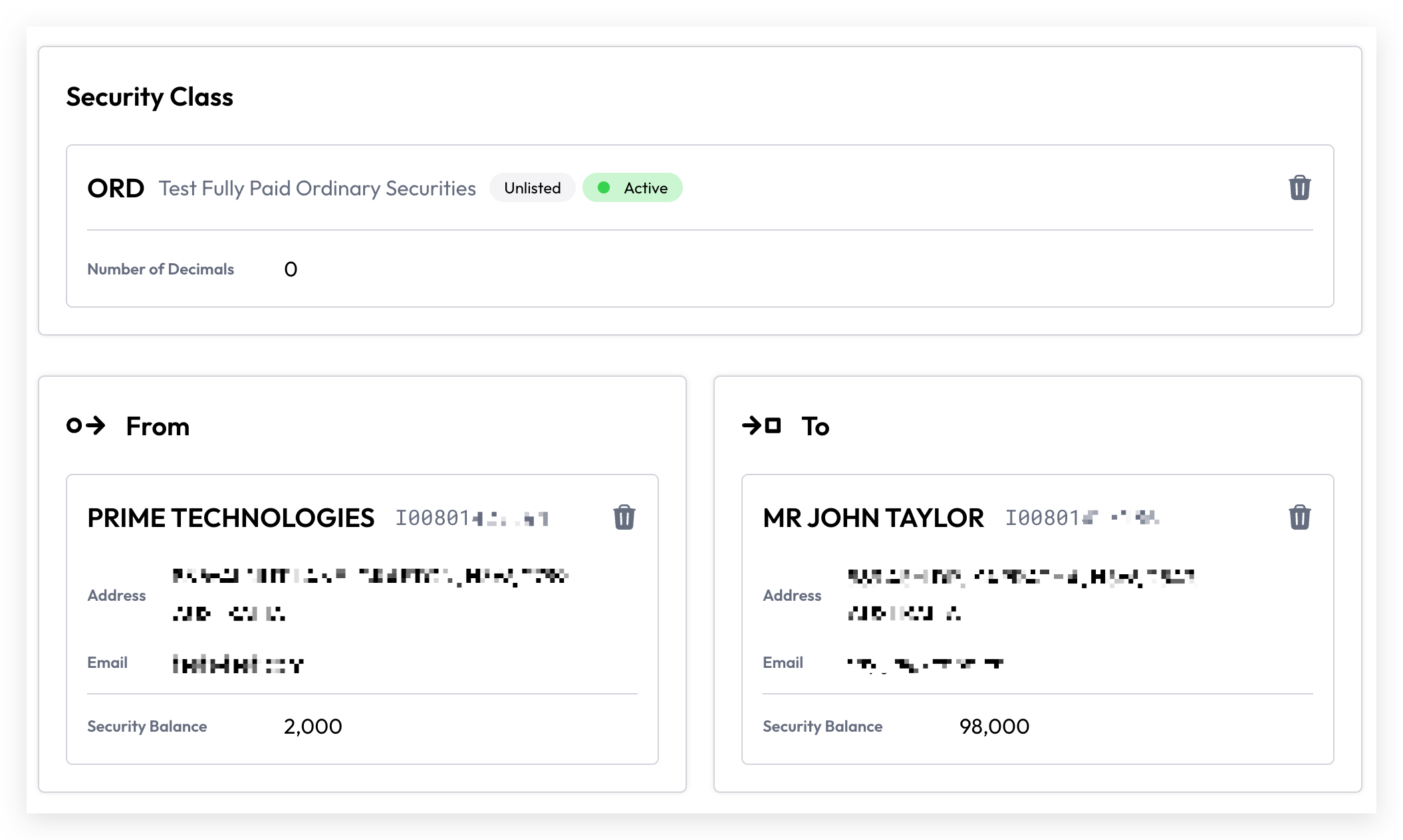
A transfer represents the movement of securities between accounts to reflect a change in ownership within the same security class. It involves two parties — the Source and the Destination — where a single transaction simultaneously deducts securities from the source account and credits them to the destination account.
Cuspy does not permit a negative balance as a result of a transfer. If you encounter this error, please investigate and identify the root cause before proceeding.
Conversion
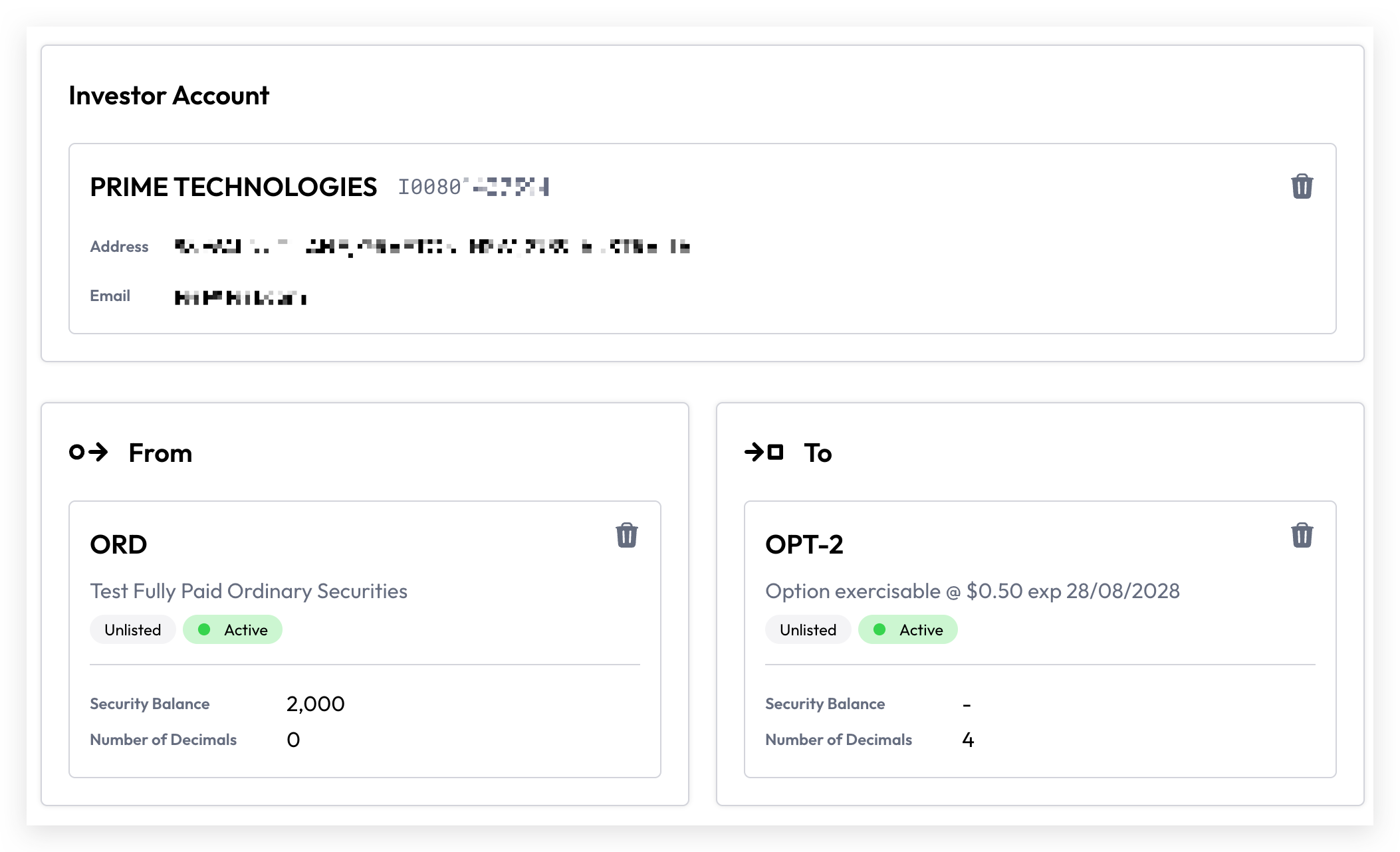
A conversion involves transferring securities from one security class to another within the same investor account. A single conversion transaction affects two parties — the source security class holdings, which are deducted, and the destination security class holdings, which are credited.
Cuspy does not permit a negative balance as a result of a conversion. If you encounter this error, please investigate and identify the root cause before proceeding.
Cash Deposit / Withdraw
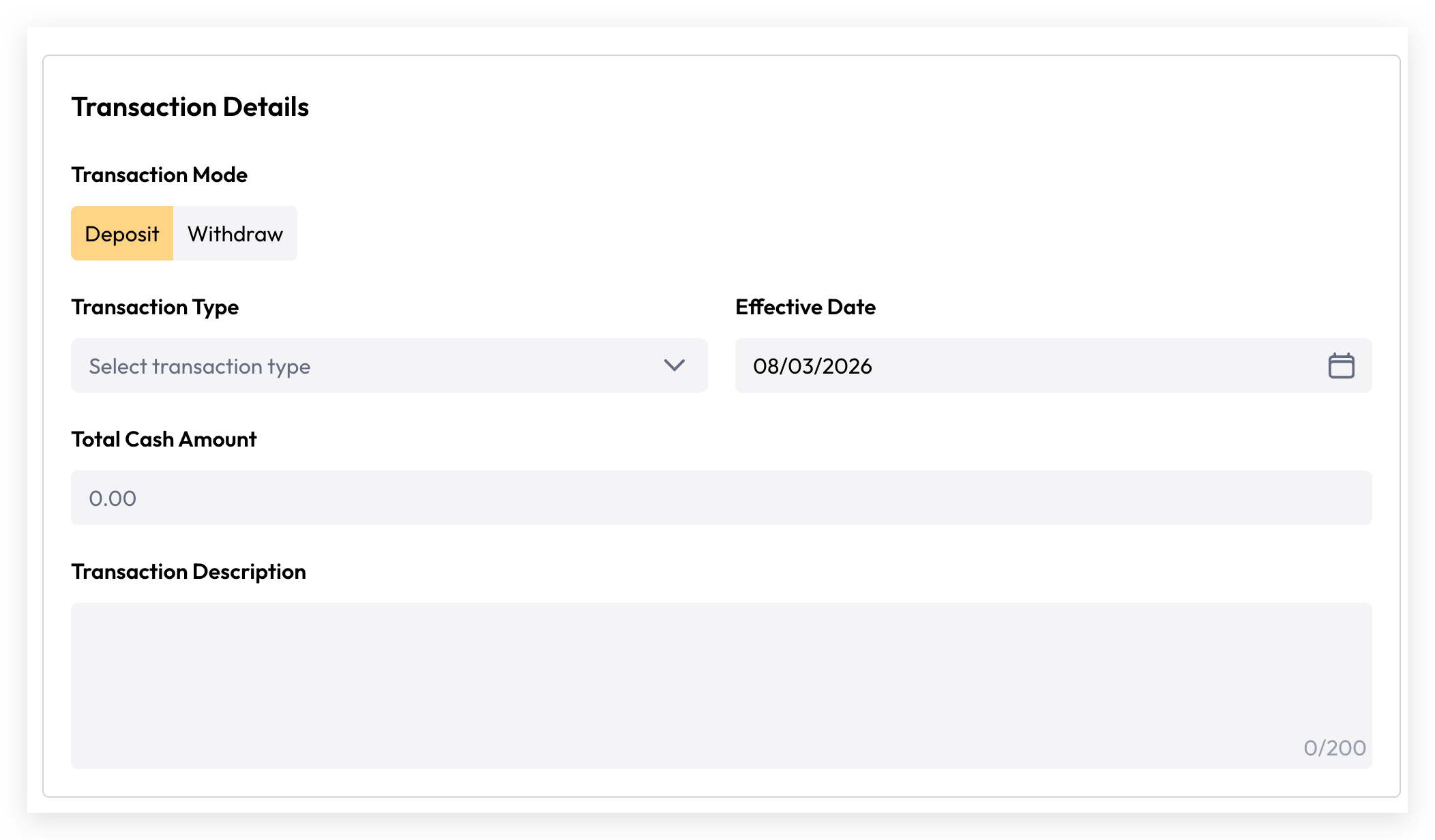
Deposits and withdrawals are exclusively related to the Cash Ledger and have no impact on the Security Ledger. The process is similar to security transactions but applies to cash only. For example, when an investor subscribes to a fund and transfers money to the organisation's bank account, the asset issuer records the received cash in the investor's Cash Ledger. The cash balance can then be subsequently deducted and converted into securities to reflect the investor's ownership.
Cuspy supports backdated cash transactions and, unlike security transactions, also permits a negative cash balance.
Adjustment - Application
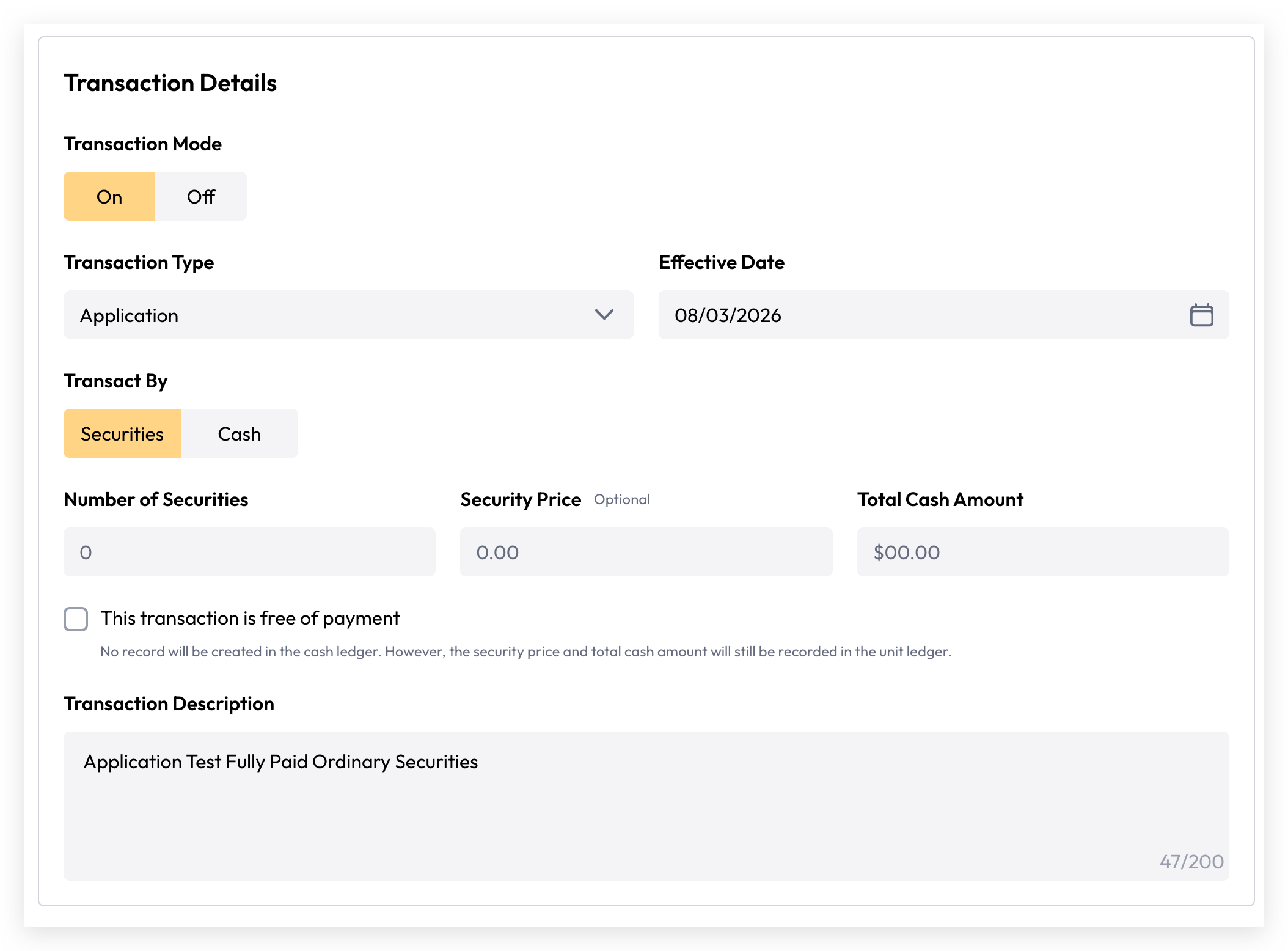
Cuspy supports the conversion between securities and cash, a process known as unitisation.
For example, an asset issuer records an application from an investor who has deposited $1,000. With a security price of $1.00, the asset issuer wishes to allot 1,000 securities.
Using the Adjustment transaction with the transaction type set to Application, a single transaction simultaneously updates both the security and cash ledgers.
Upon committing the transaction, $1,000 is deducted from the investor's cash ledger and 1,000 securities are credited to their security ledger.
If the transaction should not affect the cash ledger, the Free of Payment option must be enabled. By default, this option is turned off, meaning all transactions will be reflected in the cash ledger unless explicitly disabled.
This feature is used when investors subscribe to a company or apply to a fund via a cash deposit, ensuring the corresponding securities or ownership interests are accurately allocated to their account.
Adjustment - Redemption
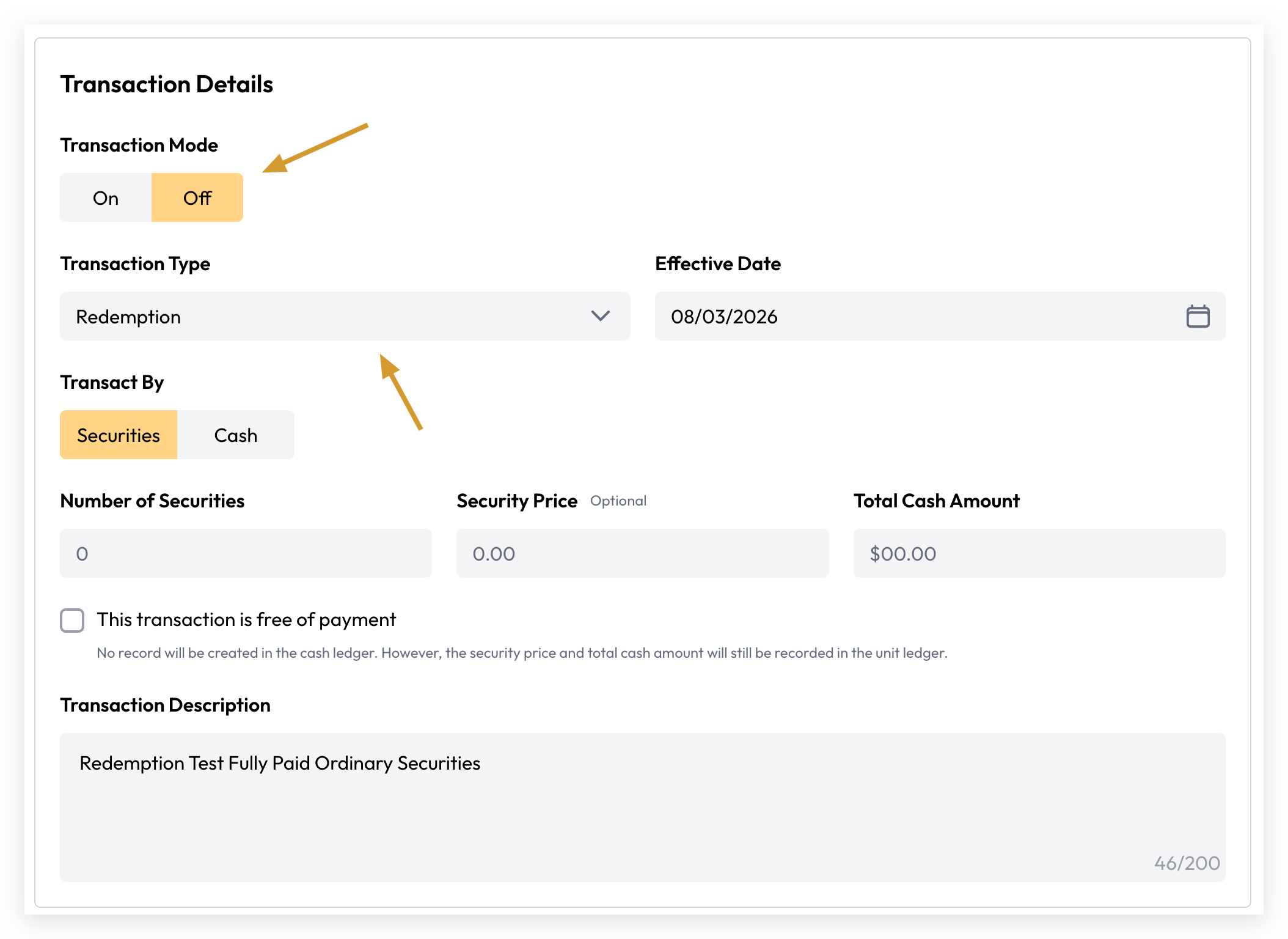
Redemption is the opposite of an application. It occurs when an investor wishes to convert their securities back into cash, effectively exiting their position in exchange for a monetary payment. The resulting cash amount is recorded in the investor's cash ledger upon completion of the transaction.
To process a redemption, ensure the Transaction Mode is set to Off and the Transaction Type is set to Redemption.
Reversal
Reverse Transaction
If a transaction has been committed in error, Cuspy provides a reversal feature to correct it.
Cuspy's ledger is designed to be immutable, meaning committed transactions cannot be altered or deleted. To learn more about this design principle, please refer to our immutable ledger concept.
To reverse a transaction, navigate to the specific transaction on invest account view page.
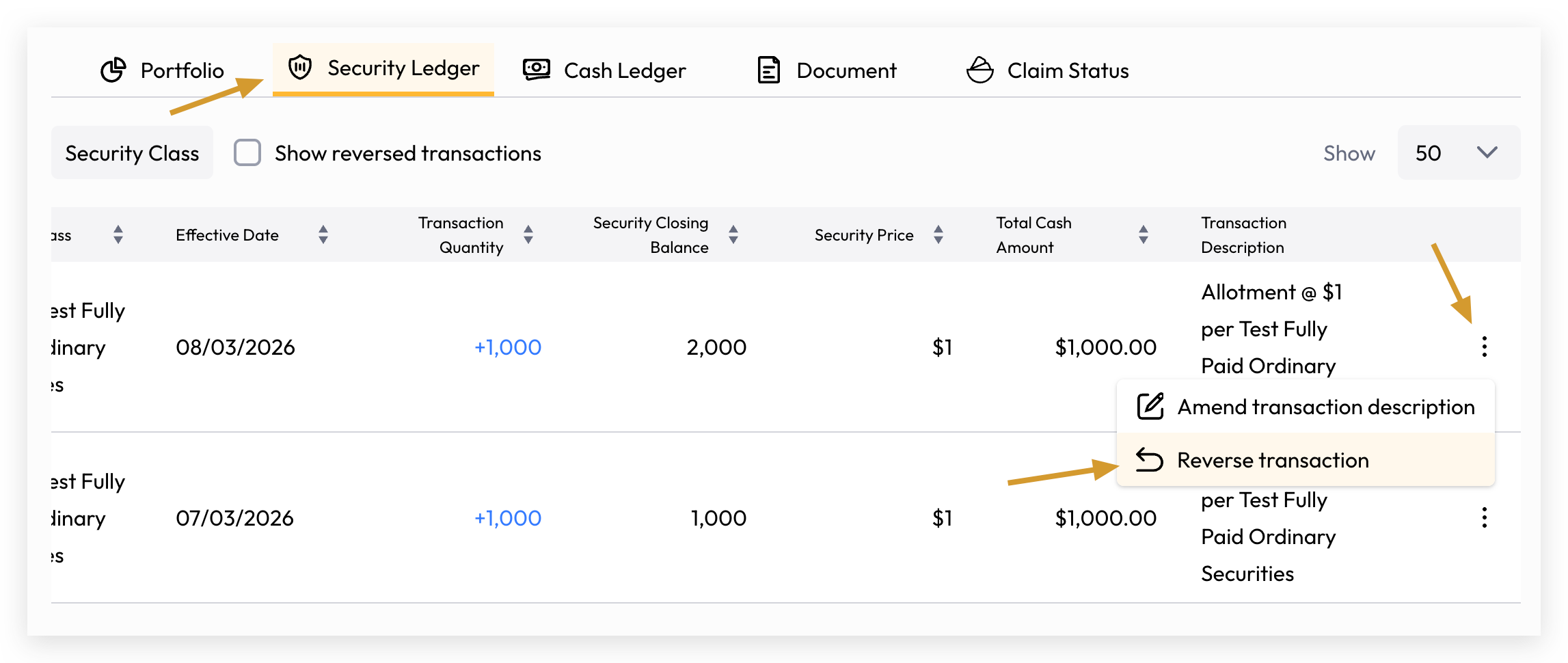
Click Reverse Transaction to be directed to the Reverse Transaction review page.
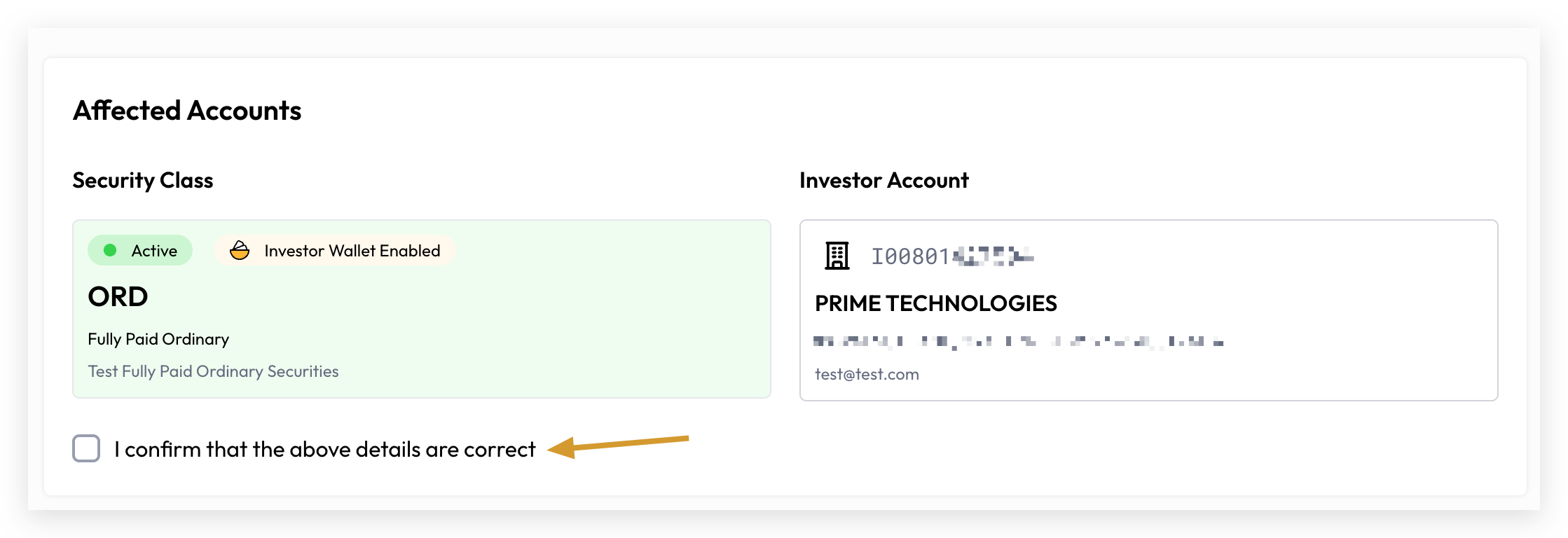
The review page displays all affected security classes and investor accounts. Please carefully verify the details and confirm their accuracy by checking "I confirm that above details are correct" before proceeding.
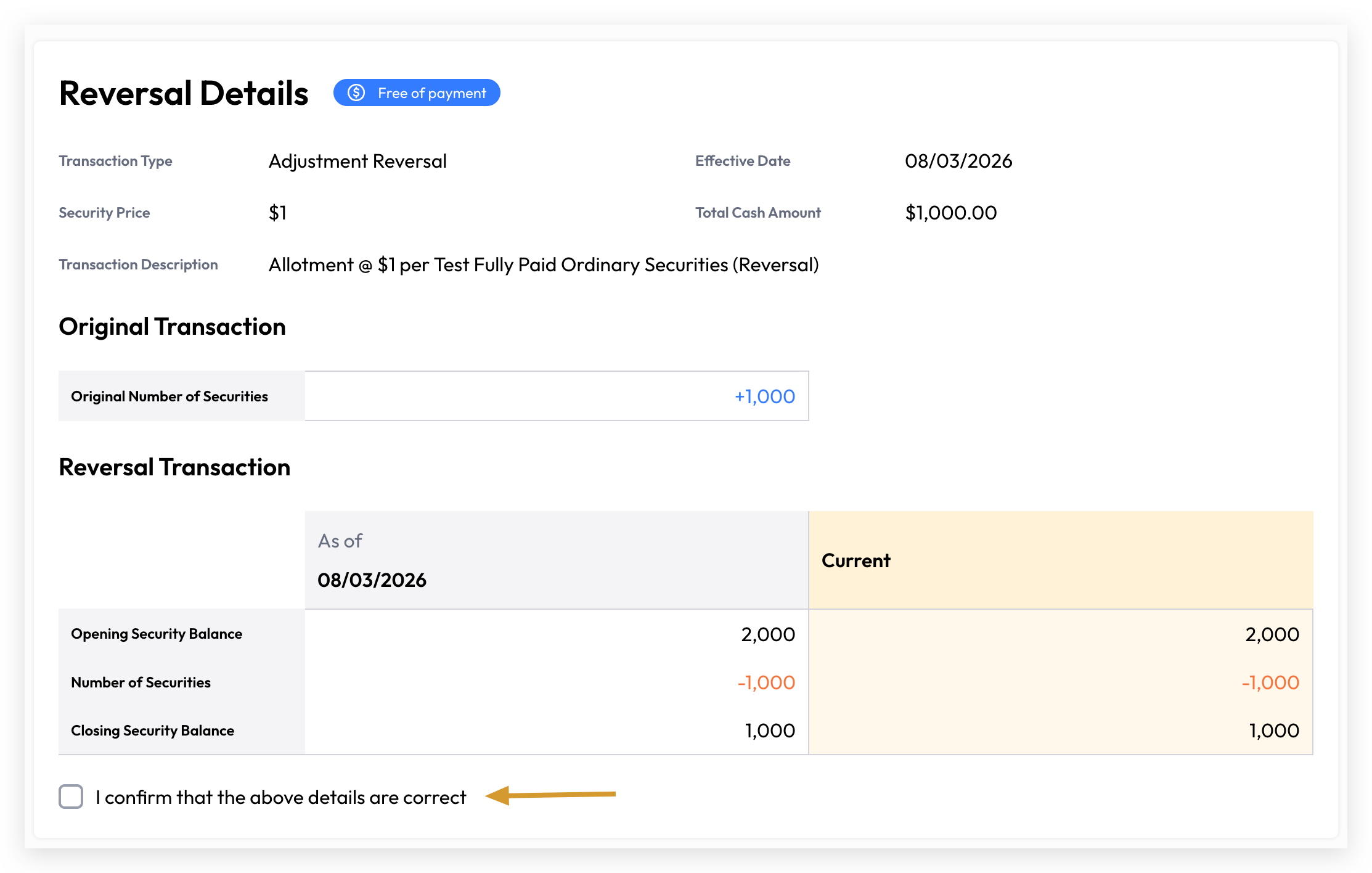
Please review and confirm the Reversal Details to ensure the balances are correctly resolved following the reversal.
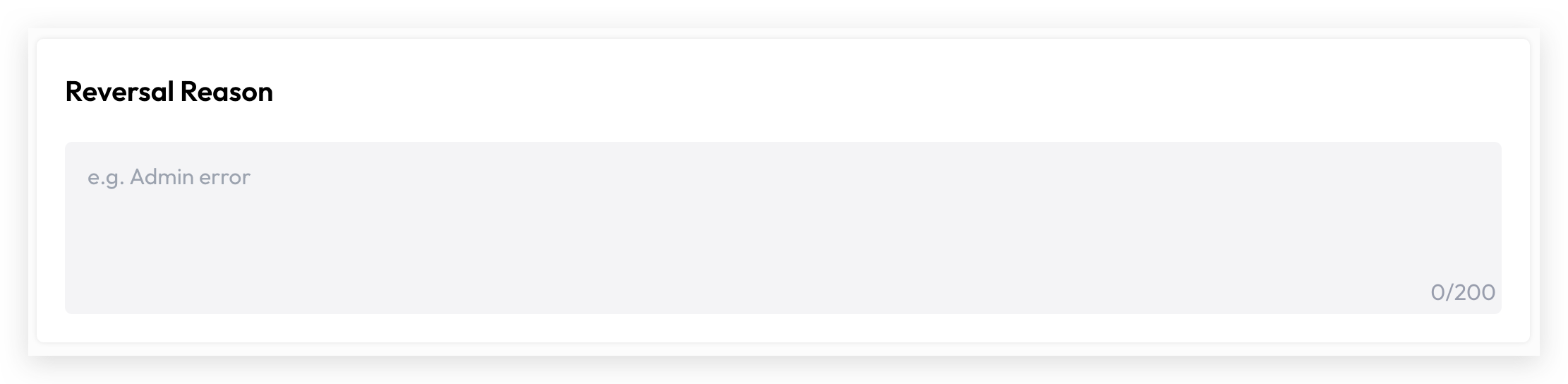
A reversal reason must be provided before the reversal can be submitted.
Please be aware that a reversal transaction may trigger a negative balance error, preventing the reversal from being processed. If this occurs, you will need to investigate the root cause, correct the ledger accordingly, and then attempt the reversal again.
View Reversal Transaction Records
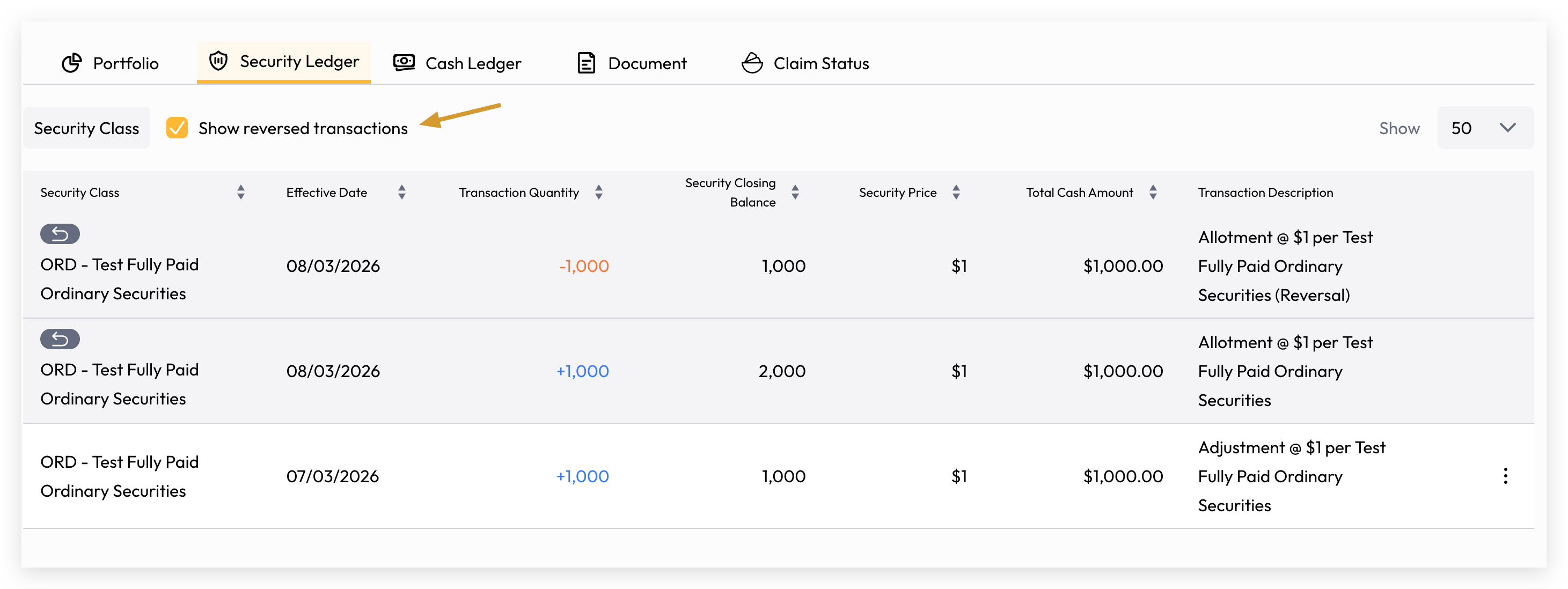
Asset issuer users can view reversed transactions in the investor account's security or cash ledger by toggling "Show Reversed Transactions".
Transaction Description Amendment
Another common scenario is an incorrectly entered transaction description. Cuspy allows users to amend transaction descriptions while maintaining the integrity of the immutable ledger.
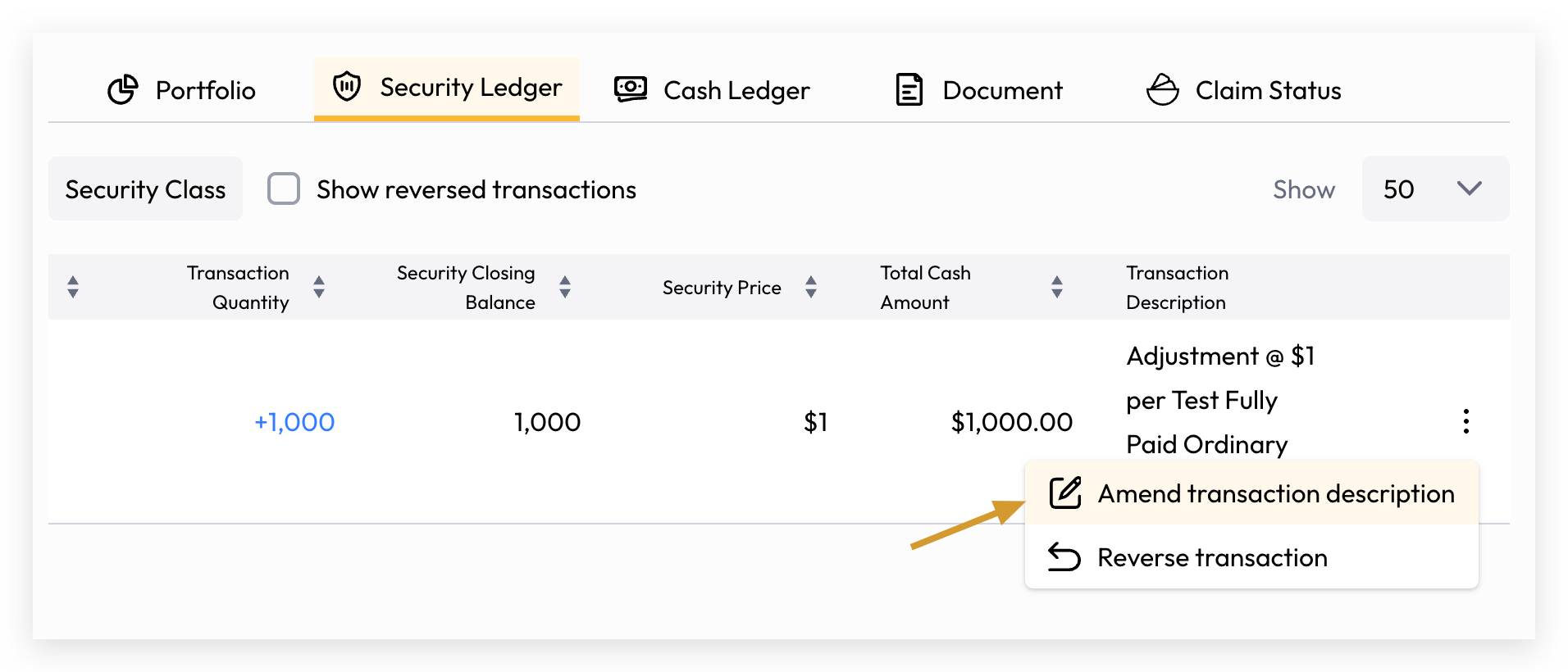
Navigate to the specific transaction and click "Amend Transaction Description".
Enter the corrected transaction description and click the "Amend Transaction Description" button to save the changes.
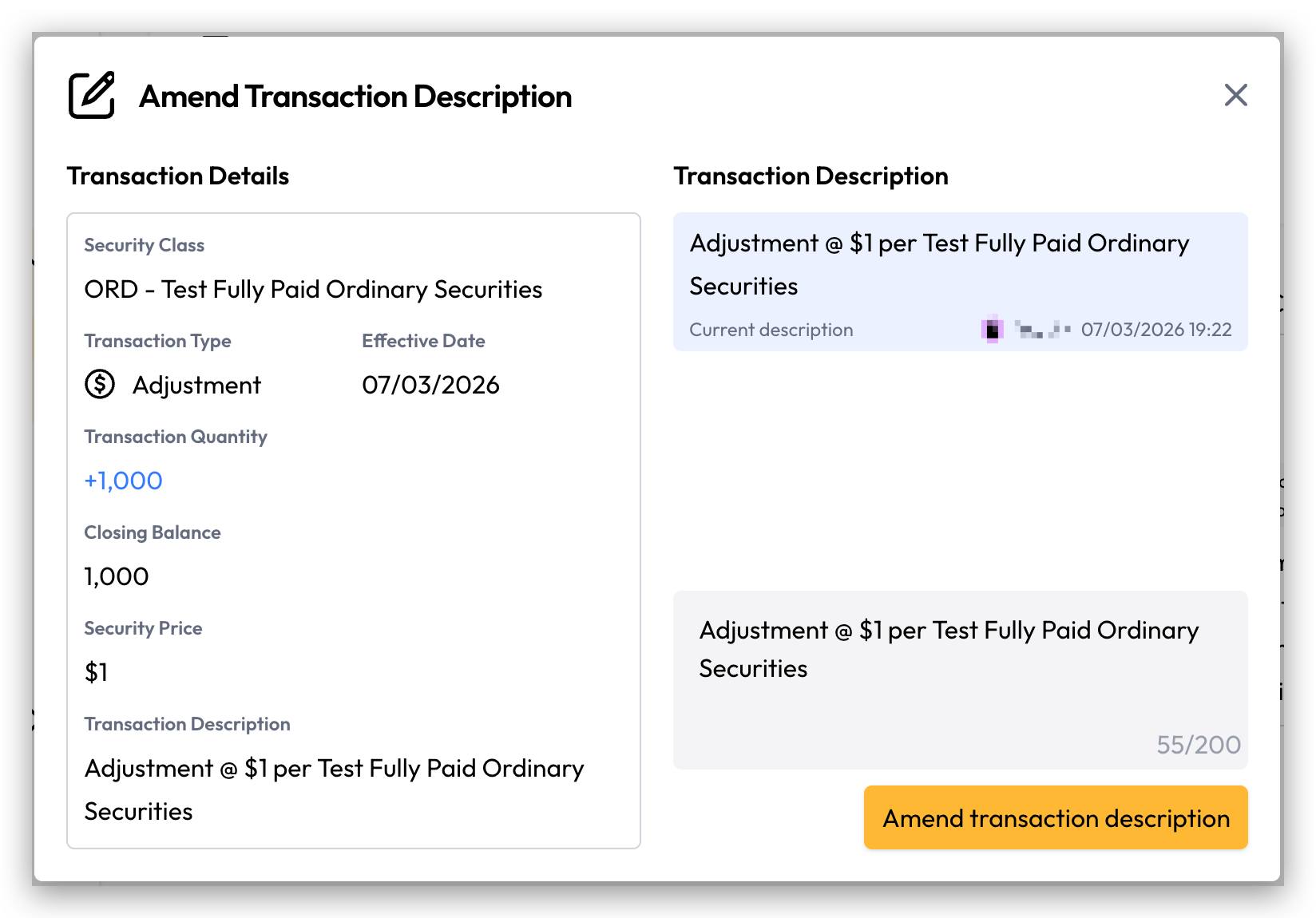
A full audit trail of all description amendments is available for review.